98% Isn’t Much: Reliability Thinking for the Web
 by ahsan
July 07, 2026
6 min read
by ahsan
July 07, 2026
6 min read
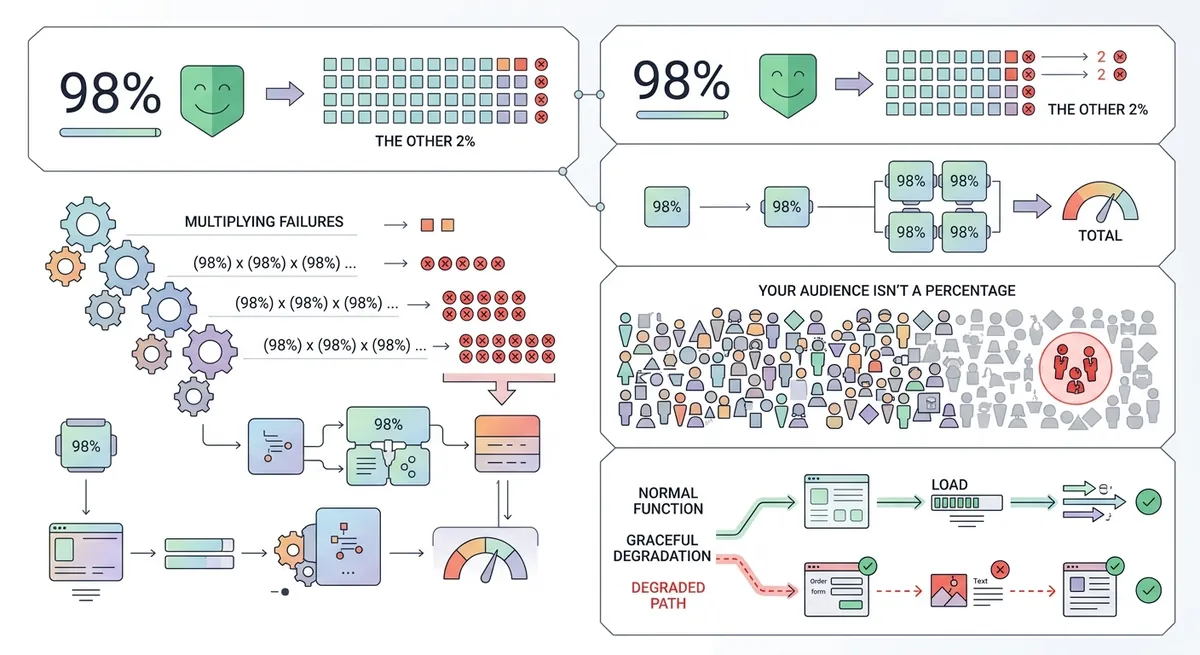
The broken screen moment
The moment that “98% support” becomes real is never in a spreadsheet. It’s when you open a website in a browser you don’t use every day—and the page looks wrong, buttons don’t work, or spacing collapses. That experience turns a statistical claim into a human story: two people stare at the same broken screen, and one of them is “the 2%.”
That’s the core idea behind “98% isn’t much”: percentages hide how many times a failure happens, who experiences it, and whether the experience degrades in a helpful way. In engineering terms, the difference is between mostly works and fails safely.
So what does “98%” mean in web development? It often means “a feature works in most browsers” or “our change impacts a small fraction of users.” The tricky part is that web systems are built on many layers—browser parsing, CSS rules, JavaScript execution, network timing—and each layer can fail independently.
Why 98% is mathematically misleading
A percentage is a probability. If a feature “works 98% of the time,” then it “fails 2% of the time.” That sounds tiny—until you multiply it by how often people hit the feature.
Consider a person loading a page that depends on that feature every time they visit. If they visit 10 times, the chance they never hit a failure is (0.98^{10} \approx 81.7%). That means the chance they do see at least one failure is (1 - 0.817 \approx 18.3%). In other words: a “2% failure rate” becomes an “almost one in five people will notice it over repeated use” outcome.
Now imagine the feature isn’t alone. A modern site may include multiple “new” features: a CSS feature here, a newer API there, a slightly different behavior in the layout engine. Even if each individual feature is “99% okay,” the combined effect can turn reliability into a lottery.
And there’s a second, more human issue: who becomes the outlier. “98% of the population” usually isn’t the same as “98% of your audience.” Audience browser mix can be skewed by region, device age, accessibility tooling, corporate policies, or simply by what your users choose to keep updating.
Reliability is about edge cases (not averages)
Reliability engineering has a simple mindset: design for the failures you expect, not just the happy path you demo. One useful framing is the idea of an error budget—an allowed amount of failure over time. If you burn through the budget too quickly, the system becomes unreliable, even if the success rate looks impressive on paper.
On the web, the failures that matter most are the ones that are visible and irreversible from the user’s perspective—like a broken layout or a missing interaction. Edge cases aren’t “rare weird stuff.” They’re the conditions your system meets when it runs on different browsers, different devices, different accessibility settings, different network quality, and different user patience.
So how do we build web experiences that don’t turn “2%” into “half the support tickets”? That’s where graceful degradation comes in.
Graceful degradation: the definition that changes how you ship
MDN’s definition is a good starting point: graceful degradation is a design philosophy where the site/application works best in the newest browsers, but falls back to an experience that isn’t as good while still delivering essential content and functionality in older browsers. It can involve polyfills (code that emulates missing features) and also HTML/CSS fallback behavior, including the CSS cascade. (developer.mozilla.org)
Two phrases in that definition do a lot of work:
- “Falls back” means you plan for what happens when a feature isn’t available.
- “Essential content and functionality” means the user can still do the important thing, even if enhancement features are missing.
This mindset is closely related to progressive enhancement, but the key difference is direction: graceful degradation assumes modern-first and ensures the core still works when the “modern” layer is absent.
Nested CSS as a case study
Nested CSS is a perfect example of how “it’s standard” can still be “it won’t work everywhere.”
The idea is simple: instead of writing repeated selectors like .card .title, you can write styles nested inside another selector block. That’s what preprocessors like Sass already did for years—but nested CSS means the browser parses nesting directly, not a build step.
Chrome introduced nesting support beginning with Chrome 112. (developer.chrome.com) And in the standards world, the CSS Nesting Module Level 1 has been discussed and iterated for a long time; for example, the W3C spec history references a February 14, 2023 Working Draft as a baseline. (w3.org)
So why does this still matter in 2026?
Because “standard” and “supported in your specific audience” are not the same statement. Even when a feature is widely available in general, your users might include a significant fraction of browsers that don’t understand the syntax yet. The result is often not a polite partial failure—it’s a cascade of ignored rules and a visually broken stylesheet.
And this is the question many developers search for:
“How do we use a new CSS feature without breaking browsers that don’t support it?”
The practical pattern: feature detection + fallback
In CSS, “feature detection” means you detect support for a syntax or capability and then choose what code to apply. For nested CSS, Chrome’s documentation highlights two approaches: using the nesting syntax itself, or using @supports to check whether the browser can parse nesting selector syntax. (developer.chrome.com)
A robust pattern looks like this:
- Write a baseline layout/style that works everywhere.
- Add enhancements only inside a support check.
Here’s a minimal example.
Baseline CSS (works without nesting)
/* Baseline: no nesting required */
.card {
  border: 1px solid #ccc;
}

.card .title {
  color: #222;
  font-weight: 700;
}
Enhanced CSS (nesting only when supported)
/* Enhancement: nested selectors only when parsing is available */
@supports (selector(&)) {
  .card {
    & .title {
      color: rebeccapurple;
    }
  }
}
What this demonstrates is not “we can write fancy CSS.” It demonstrates that enhancement code can be conditional, so older browsers never receive syntax they can’t parse.
Why “works for most” often becomes “silently wrong”
CSS is designed to be resilient, but that doesn’t mean it’s always graceful. When a browser encounters syntax it doesn’t understand, it may ignore the affected rules. The rest of the stylesheet still loads—so the page doesn’t crash—but the visuals can change in surprising ways.
This is why “graceful degradation” needs a product-level definition of acceptable. A rule being ignored is acceptable only if the user still sees the essential structure, readable typography, and usable interactions.
In nested CSS, the danger is that developers may use nesting in ways that change selector specificity, cascade order, or even how the browser constructs the final selector list. Those details live in the spec, and they matter once you care about correctness—not just whether the page “doesn’t explode.” (w3.org)
Don’t confuse standards with safety
The big mindset shift behind “98% isn’t much” is this:
- Standards tell you what the future looks like.
- Compatibility tells you what your users get today.
- Degradation strategy tells you what happens when compatibility fails.
A release note that says a feature is supported in “most browsers” is incomplete unless it states how the UI behaves when the feature is missing.
That’s the real engineering bar: not “works for most,” but “handles edge cases without punishing users.”
A small checklist for shipping new web features
When adopting new browser features (CSS syntax, new APIs, updated rendering behavior), the most reliable approach is to make fallback part of the design:
- Define the baseline. What must still work if the feature is absent?
- Feature-detect enhancements. Use
@supportsor other detection mechanisms, then layer enhancements on top. (developer.chrome.com) - Ensure the fallback is intentional. A fallback is worse than missing support if it produces a broken layout.
- Test against your audience. General browser support isn’t the same as your actual traffic mix.
Conclusion
“98% isn’t much” is a reliability lesson dressed as a statistics complaint. Percentages don’t explain how often failures accumulate, which users get hurt, or whether the system degrades in a helpful way. On the web, the practical remedy is graceful degradation: build modern-first experiences, but always plan fallbacks so essential content and functionality remain available when a feature isn’t supported. (developer.mozilla.org)
Comments (0)
No comments yet. Be the first to respond!
Leave a Comment
Your comment will be visible after review.