A Raspberry Pi That Paints the Birds It Hears
 by ahsan
September 15, 2026
6 min read
by ahsan
September 15, 2026
6 min read
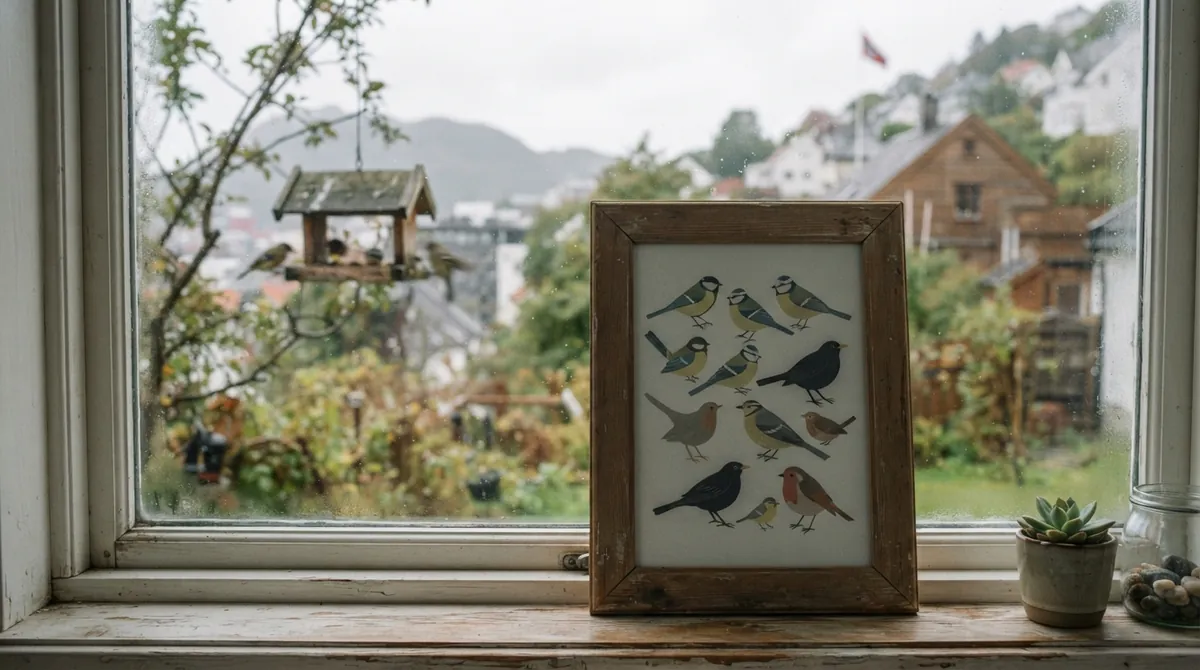
A bird calls from the hedge, and a few moments later a new natural-history plate appears on the kitchen wall. There is no camera pointed at the garden and no cloud image generator waiting for a prompt. A microphone heard the sound, local software identified a likely species, and a small computer arranged an illustration on an e-ink display.
That is the idea behind Fugleramme, an open-source bird frame built around a Raspberry Pi. Its charm comes from the way it connects several modest tools: bird-sound recognition, a small web service, carefully prepared historical artwork, and a display that prefers to sit quietly rather than animate. (raw.githubusercontent.com)
The listening half lives somewhere else
How does an e-ink bird frame know which birds are outside? It listens through BirdNET-Go, an audio classifier. An audio classifier is software that turns a recording into labels with confidence scores, much like a speech-recognition system turns spoken words into text.
BirdNET-Go takes audio from a sound card, microphone, or network stream and performs the machine-learning inference locally. Its current project documentation describes BirdNET v2.4 as the default bird model, with other model families available as well. Fugleramme does not need to run that model itself; it reads detection data through BirdNET-Go’s application programming interface, or API, which is a set of network endpoints designed for other software to use. (github.com)
That separation is a strong design choice. The microphone and classifier can live beside the garden, while the frame sits somewhere else on the same home network. If BirdNET-Go is already running, Fugleramme can use it as an external detector instead of installing a second copy.
The whole flow looks roughly like this:
recent audio
 ↓
BirdNET-Go detects species
 ↓
Fugleramme reads recent detections
 ↓
scientific name → matching illustration
 ↓
layout engine builds a paper-like page
 ↓
e-ink panel and web kiosk receive the new image
The code sketch hides an important detail: the frame does not redraw for every sound. It waits until the collection of birds has changed, then produces a new page. That keeps the display calm and avoids wasting refresh cycles.
The artwork is data, not decoration
The historical illustrations are half the project. Fugleramme’s repository describes more than 800 cut-outs covering over 400 species, each taken from a real natural-history plate and prepared by hand. The images are not generated from text prompts. They are transparent cut-outs with their own source and attribution records. (raw.githubusercontent.com)
Once a species is detected, the software finds its prepared artwork and places it on a textured paper background. This is a small graphics problem known as compositing: combining separate image layers into one finished picture. The frame also uses body-mass data to influence scale, so a larger bird tends to occupy more visual weight than a tiny songbird. That makes the result feel like a curated plate rather than a grid of identical icons.
The layout has a graceful fallback too. When no recent bird detections exist, the scene shows a bare perch. A missing detection becomes part of the composition instead of an error screen.
The regional coverage is also honest. The existing plates favor Scandinavia, Britain, and central Europe, while broader European and North American coverage is still being expanded. This is a useful reminder that an artificial-intelligence system is only as complete as the data and artwork surrounding it.
Why slow e-ink is the right display
The hardware uses Pimoroni’s 13.3-inch Inky Impression with a six-colour Spectra 6 panel. Its resolution is 1600 × 1200 pixels, and the board is roughly the size of an A4 sheet, which makes an ordinary picture frame a practical enclosure. (shop.pimoroni.com)
E-ink displays reflect room light instead of shining a backlight into your eyes. They consume most of their power during refreshes, not while holding a still image. The panel’s advertised core refresh time is about 12 seconds, while a complete real-world refresh can take roughly 20–35 seconds depending on conditions and the computer driving it.
That would be frustrating for a video game. For a bird journal, it is perfect. The slow refresh encourages the software to treat each drawing as an event. A blackbird arrives, the page changes. The garden goes quiet, and the frame settles back into its paper texture.
Fugleramme also serves the same composition as a web kiosk. The e-ink panel is optional, so the project can run on a normal monitor, over HDMI, or in a browser on another device. That makes development much less awkward: the rendering pipeline can be tested before the fragile display is attached. (github.com)
Building the physical frame
A full build pairs a Raspberry Pi 5 with at least 2 GB of memory, a microSD card, active cooling, the large Inky panel, a microphone, a USB audio adapter, and an A4 picture frame. The active cooler matters because BirdNET-Go performs continuous inference, which keeps the Pi busy and warm. The microphone matters even more: placement, wind protection, and noise level directly affect what the classifier can hear.
There is a slightly surprising audio detail. The recommended field microphone uses an analogue 3.5 mm connection, while the Raspberry Pi does not provide a built-in analogue microphone input. A small USB sound card supplies that missing interface and provides plug-in power for the microphone.
The frame therefore looks simple from the front, but the back contains a small chain of decisions: acoustic capture, continuous inference, network communication, image composition, and thermal management. None of those pieces needs to be exotic. They need to cooperate reliably for weeks.
Running the software before buying the display
The project is written for Python 3.11 or newer, and its current package metadata reports version 0.21.3. Development uses uv, a Python package and environment manager, with a built-in fake detector that generates sample BirdNET-Go-style responses.
uv sync
uv run fugleramme-fake-detector
uv run fugleramme-dev
This setup gives you a browser-based kiosk and a pretend stream of detections. It is valuable because the hardest visual questions can be answered without waiting for a bird: do labels fit, do cut-outs blend into the paper, and does the page change only when it should?
For a server or homelab, Fugleramme also ships as a Docker container. The container stores settings, artwork choices, cached names, and the rendered page in a persistent data volume. The current container mode is web-only; a Raspberry Pi with an attached SPI panel still needs the regular installation path. (raw.githubusercontent.com)
The real engineering is in the compromises
Bird calls overlap. Wind and traffic confuse models. A confident detection is still an interpretation of sound, not proof that a particular bird is sitting on the feeder. The frame deals with that uncertainty by presenting a recent soundscape as a changing collection, rather than claiming to show a live visual inventory.
The project also treats artwork maintenance as software maintenance. New species need correctly named assets, transparent edges, previews, manifests, and compatible licences. The contributor documentation even recommends checking a cut-out on the frame’s own paper texture before committing it, because a halo or leftover background becomes obvious only in the final composition. (github.com)
That blend of machine learning and deliberate imperfection is what makes the frame memorable. A tiny computer hears an invisible garden, but the answer arrives as something physical: a slowly refreshed page that feels borrowed from a nineteenth-century field guide.
Comments (0)
No comments yet. Be the first to respond!
Leave a Comment
Your comment will be visible after review.