From gpiozero value streams to a drag‑and‑drop GPIO flow
 by ahsan
July 30, 2026
7 min read
by ahsan
July 30, 2026
7 min read
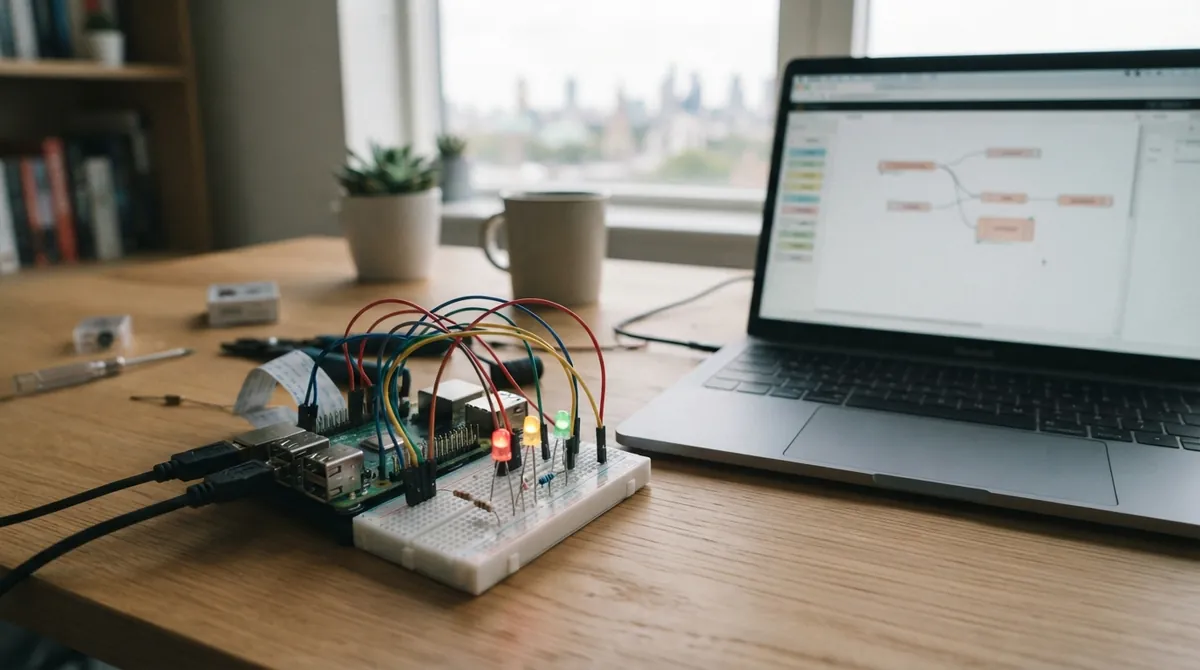
The moment GPIO stopped feeling like pin math
The first time you wire a Raspberry Pi button to an LED, the learning curve can feel like pure logistics. Pins are physical locations on the header. GPIO (General Purpose Input/Output) is the hardware system that can read an incoming electrical signal (an input) or drive an electrical signal out (an output). On top of that, you start meeting terms like pull-up resistors, active-low wiring, and rising vs falling edges.
gpiozero changes the emotional tone of that work. It lets you think in devices (a button, a LED, a motor) rather than in pin channels and voltage thresholds. The big idea that makes this possible is called the source/values (declarative) model: instead of writing “poll the button, then set the LED,” you connect the LED to a stream of values coming from the button.
That’s also the seed of gpiozero-flow, a web-based visual tool that turns those value connections into a draggable “wiring” diagram.
What does .source actually mean in gpiozero?
If you’ve only used the usual “while True:...” style, .source sounds like magic. It’s not. It’s a link between two ongoing processes.
In gpiozero, every device has:
- a
valueproperty, which is the device’s current reading (or commanded output), and - a
valuesproperty, which is a generator (a function-like object that yields values over time).
An output device (like an LED with PWM brightness) also has a source property. Setting led.source = something tells the LED to iterate through that “something” as a stream and update its own value accordingly, at a configurable source_delay rate (defaulting to 0.01 seconds). (gpiozero.readthedocs.io)
So the simplest conceptual mapping becomes:
- input device → produces a sequence of values over time (
values) - processing function/tool → transforms that sequence
- output device → consumes the transformed sequence (
source)
A question that comes up a lot when people first meet this model is: What does it mean when gpiozero says an LED has a .source? It means “my brightness/value updates by iterating over another device’s stream (or an artificial stream).” ()
Three programming styles… and why the third one is special
You can express the same button→LED behavior in multiple styles:
1) Procedural: repeatedly ask the button what it is doing.
while True:
 led.value = 1 if button.is_pressed else 0
2) Event-based: register callbacks that run when the button changes.
button.when_pressed = led.on
button.when_released = led.off
3) Declarative (source/values): make the LED follow the button.
led.source = button
That third style is special because it’s naturally graph-shaped. There’s no explicit loop you wrote, but there is an always-running background update that copies the input’s value stream into the output’s source pipeline. gpiozero’s docs even show an equivalent “polling” loop, while noting that the declarative wiring is updated in a background thread so other code can run concurrently. (gpiozero.readthedocs.io)
And here’s the subtle limitation that becomes an advantage: because declarative wiring is explicit about relationships, it’s easy to invert, scale, clamp, zip, or otherwise transform those relationships without rewriting a control loop.
Transforming streams: turning wires into behavior
Once you’re fluent in the idea of “streams flowing from one device to another,” transformations become building blocks.
A source tool (or your own generator function) can take incoming values and yield new ones. For example, to invert a button stream, you could write a generator that yields not value, then set the LED’s source to that generator. gpiozero’s source/values documentation uses exactly this pattern for an “opposite” example. ()
The practical takeaway: every node you draw in a flow diagram can correspond to one of these value operations:
- Pass-through: output follows input
- Negate / invert: flip boolean-ish meaning
- Scale / clamp: keep numeric ranges sane
- Combine: AND/OR style logic by zipping multiple streams
- Artificial sources: generate values like a sine wave
gpiozero even standardizes the “shape” of values per device. Many boolean-style devices are 0 or 1, LEDs can use PWM brightness from 0.0 to 1.0, and some act over -1 to 1 (like motor direction), which is why a sine-wave stream can naturally drive direction and speed in one go. ()
If you’ve ever stared at “range mismatches” between sensors and actuators, this is where the declarative model starts to feel like design, not debugging.
From code to a canvas: how gpiozero-flow fits the model
gpiozero-flow is best understood as a visualization of the same conceptual graph you’re already building with .source.
At a high level, it does three things:
1) Browser canvas: you drag devices (buttons, LEDs, sensors, internal tools) into a diagram, then draw connections between them.
2) Serialization: every canvas change is serialized (turned into a structured representation) and sent to the Pi-side agent.
3) Agent reconciliation: the agent turns the serialized graph into real gpiozero devices and rewires .source chains so the hardware matches your diagram.
The PyPI project description makes this concrete: the browser sends the serialized graph on every canvas change; the agent reconciles it into live gpiozero devices, adding/removing devices and reassigning .source chains so edits land “in tens of milliseconds.” (pypi.org)
It also streams real device values back to the browser at 10 Hz, so the nodes on the canvas show the live state of inputs and outputs. ()
In other words, gpiozero-flow doesn’t invent a new logic engine. It maps visual connections to the same underlying “value stream + transformation tools” mechanism.
Building blocks you can expect to see in the graph
gpiozero-flow is designed around the kinds of sources and tools gpiozero already provides.
That includes:
- Device nodes (a button node is a stream of 0/1 readings; an LED node is a consumer for values)
- Tool nodes (like negation/inversion, clamping/scaling, combining multiple streams)
- Artificial nodes (like sine wave generators)
gpiozero-flow’s packaging description also notes that the wiring protocol is documented in the agent’s source and that the browser-side serializer lives in the main repository (so the “what gets sent” is treated like an engineering artifact, not a casual feature). ()
A quick mental “graph-to-code” example
Take a slightly more interesting pipeline than “button controls LED.”
Imagine you want an LED that is on when the button is not pressed. In declarative terms, this is a stream inversion.
In Python you might express the same idea using a negate/invert tool (gpiozero’s source tools cover that use case). The visual version would look like:
- button node → negated (or inverted) tool node → LED node
Because .source consumes iterators/generators of values, a flow connection can be interpreted as “wire the LED’s source to the output of that tool.” That is exactly the semantic gap gpiozero-flow tries to remove: the canvas is meant to match your mental model of “values flowing.”
Running it live: ports, protocols, and the HTTPS gotcha
The “why does it fail when hosted?” story matters for any browser + WebSocket setup.
gpiozero-flow is packaged as a Python project (current release 0.1.0, uploaded July 23, 2026) that includes both the web app and the WebSocket agent for a Pi. It requires Python 3.11+ and a gpiozero 2.x setup with a working pin factory. ()
The project also publishes a practical pairing of ports:
- web app: default port 8000
- agent: default port 8765 ()
Now the tricky bit. Web browsers block “insecure” WebSocket connections in certain situations. The gpiozero-flow description explains the concrete failure mode for hosted HTTPS use: if the web app is served over HTTPS, browsers won’t allow ws:// (insecure WebSocket) connections from that HTTPS origin; therefore Live mode needs the web app served over plain HTTP so the browser can connect to ws:// on your LAN. ()
This isn’t a gpiozero-flow quirk. It’s part of the browser security model around mixed content and origin-based rules for WebSockets.
The result is a deployment pattern that feels almost old-school: run your Pi-hosted page over HTTP, then connect the browser to the agent over WebSocket, keeping things limited to your local network while the feature matures. ()
Why this feels like a control systems sandbox
Graphical wiring tools often stop short at wiring sensors to outputs. gpiozero-flow goes further by embracing the value stream idea as the real abstraction.
Once you start drawing graphs with stream-transforming tools, you’re no longer “coding” in the traditional sense. You’re composing behaviors from signal transformations. That’s remarkably close to how you might reason about control systems: sensors produce signals; controllers transform them; actuators consume them.
The hard part of control logic isn’t syntax. It’s getting the mental model right: ranges, polarity, timing, and how transformations affect the stream.
gpiozero’s source/values model already solves that once, in Python. gpiozero-flow tries to make the same model tangible on a canvas.
Closing thought: the flow is the program
gpiozero-flow works because it refuses to separate “visual programming” from “the semantics underneath.” The canvas isn’t a new language layered on top of gpiozero; it’s a view of gpiozero’s declarative value-stream wiring.
When you drag a connection, you’re really describing a .source pipeline. When you hit Live mode, the agent reconciles that graph into real gpiozero devices and streams values back so the diagram reflects physics.
That feedback loop is the real magic: you don’t just write logic, you see values move through it—one wire at a time. ()
Comments (0)
No comments yet. Be the first to respond!
Leave a Comment
Your comment will be visible after review.