How Guitoro Turns a Keyboard Into a Playable Guitar
 by ahsan
October 14, 2026
6 min read
by ahsan
October 14, 2026
6 min read
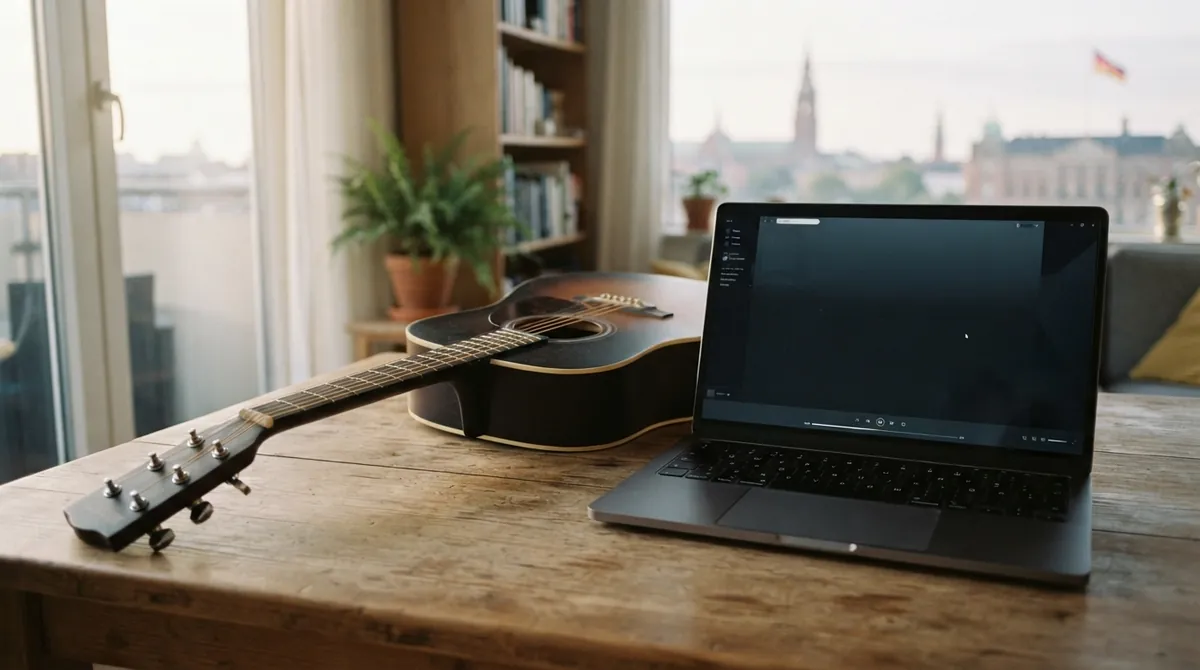
At 11:47 p.m., you can be sitting at a laptop with no guitar nearby, press a chord key with your left hand, tap H with your right, and hear a downstroke. Press J, and the same hand movement becomes an upstroke. That small arrangement is the heart of Guitoro: a virtual guitar that treats the keyboard as a two-handed instrument rather than a grid of buttons.
The practical question is: how do you make a browser guitar feel playable instead of like a row of sound buttons? Guitoro’s current site answers with four instruments, 51 songs, 56 strum and picking patterns, 15 drum styles, and playback that can slow to 20 percent. Those numbers are useful, but the deeper idea is the division of labor: one hand chooses the chord while the other supplies the gesture. (guitoro.com)
The trick is a good input mapping
An input mapping is a rule that translates a physical action into an action inside the application. On a piano, one key usually means one pitch. In a guitar interface, a cluster of keys can represent a chord, while another pair controls the direction of a strum.
That arrangement mirrors the real instrument. Your left hand holds a shape; your right hand moves across the strings. The browser does not need to simulate every muscle movement. It only needs to preserve the important relationship between choosing a chord and making it sound.
A minimal control layer might look like this:
const chordKeys = new Map([
 ['KeyA', 'G'],
 ['KeyS', 'C'],
 ['KeyD', 'D'],
 ['KeyF', 'Em'],
 ['KeyG', 'Am']
]);

let currentChord = 'G';

window.addEventListener('keydown', (event) => {
 if (event.repeat) return;

 if (chordKeys.has(event.code)) {
 currentChord = chordKeys.get(event.code);
 drawChord(currentChord);
 }

 if (event.code === 'KeyH') playStrum(currentChord, 'down');
 if (event.code === 'KeyJ') playStrum(currentChord, 'up');
});
The important details are not the placeholder functions. They are the separation between input and sound, and the choice of event.code. event.key describes the character produced by a key in the current keyboard layout, while event.code identifies the physical key position. A fixed instrument-like layout often benefits from the latter. The repeat check prevents a held key from producing a stream of accidental strums as the operating system repeats keydown events. (w3.org)
A chord is six small performances
A chord is several notes sounding together, but a convincing guitar chord is not one giant audio file. It is a short sequence of string events. Each string may be open, fretted, muted, louder, quieter, or slightly late compared with its neighbors.
A useful internal model stores those details separately:
function strum(chord, direction) {
 const strings = direction === 'down'
? chord.strings
: [...chord.strings].reverse;

 const firstHit = audio.currentTime + 0.005;

 strings.forEach((string, index) => {
 if (!string.muted) {
 playSample(
 string.buffer,
 firstHit + index * 0.012,
 string.gain
 );
 }
 });
}
The 12-millisecond spacing here is illustrative, not a magic value. A slower drag can spread the notes farther apart; a fast swipe can bring them closer together. Reversing the order changes a downstroke into an upstroke. Muted strings contribute a percussive click instead of a ringing note.
This is where recorded audio matters. A sample is a recording of a sound rather than a tone generated from a mathematical waveform. Guitoro describes its guitar and bass notes as recordings of real instruments, allowing the app to preserve the uneven attack and texture that make strings feel less like piano keys. (guitoro.com)
Web Audio turns timing into the instrument
The Web Audio API is the browser system for loading, routing, processing, and scheduling sound. A playable instrument depends on it for more than volume. It needs a reliable clock, because the difference between a tight strum and six disconnected notes is measured in milliseconds.
Browsers also restrict unexpected audio. A page normally needs a user gesture, such as a click, tap, or key press, before it can start an audio context. A small unlock step handles that boundary:
const audio = new AudioContext;

async function unlockAudio {
 if (audio.state === 'suspended') {
 await audio.resume;
 }
}
Once the context is running, an AudioBufferSourceNode can play a decoded sample immediately or schedule it for a precise time on the audio clock. That makes it possible to line up individual strings, a metronome click, and a backing track without relying on the less precise timing of ordinary interface callbacks. (developer.mozilla.org)
Latency—the delay between an action and the resulting sound—still shapes the experience. A wired connection usually feels more direct than a heavily buffered wireless one, and a virtual instrument has to communicate that first interaction clearly when the browser is waiting for permission to play.
Songs need one shared clock
BPM means beats per minute, a common way to describe tempo. At 90 BPM, one quarter-note beat lasts about 0.667 seconds. A song engine can use that value to place strums, chord changes, drum hits, and visual movements on a shared timeline.
A useful architecture looks like this:
keyboard or touch
 ↓
current chord and gesture state
 ↓
shared musical timeline
 ↙ ↓ ↘
audio visual pick backing band
The visual pick should not run on an unrelated timer while the audio follows another schedule. Both should read the same beat position. When the tempo changes, the chord progression, strum pattern, band, and animation need to change together. Guitoro’s song mode is built around that relationship: songs can slow down while their chord changes and strumming remain understandable, and the player can lead the progression one chord at a time. (guitoro.com)
That waiting behavior is a small state machine. The application stores the expected chord, waits for the matching input, advances to the next step, and pauses again. There is no need to grade every missed key. The pause itself gives the learner room to notice the next shape before the music moves on.
The interface teaches what audio hides
Visual feedback is not decoration here. A chord name tells you what to play, but a neck diagram can show which finger belongs behind which fret. A glowing string reveals whether a stroke reached the bass strings, the treble strings, or both. A pick animation can show the faint movement through a missed stroke, making it clear that a strumming hand keeps moving even when it does not touch the strings.
That turns an invisible rhythm into something you can watch, slow down, and imitate. It also explains why a virtual guitar can complement a real one. The screen can show the shape and timing, while the physical instrument supplies the resistance, buzzing strings, and awkward first attempts that software cannot reproduce.
The difficult parts are easy to overlook
Keyboard input has edge cases. A focused text field should not suddenly become a guitar, the space bar may need its normal scrolling behavior in some contexts, and a held key should not trigger dozens of notes through auto-repeat. Touch input needs its own model: a swipe has direction and speed, while a tap on a fret is a single-note event.
Audio and visuals also need different rendering strategies. The sound scheduler should use the audio clock, while the screen can redraw through animation frames. Recording adds another layer, because the application must capture the mixed output without losing the timing that made the performance feel live.
There is a final boundary worth stating clearly: visual guidance is not the same as hearing the player’s real guitar. A browser instrument can demonstrate a chord, show a strum, and provide a backing band, but it cannot know whether your fretting hand is buzzing or whether your timing is relaxed. Guitoro presents itself as a guide beside a real guitar rather than a replacement for a teacher’s ears.
Guitoro works because it models the part of guitar playing that beginners notice first: hands coordinate over time. Once the keyboard becomes a chord hand and a strumming hand, sampled strings, browser audio, synchronized animation, and patient song playback can gather around that physical idea. The result is not a guitar-shaped button panel. It is a small instrument with a believable sense of cause and effect.
Comments (0)
No comments yet. Be the first to respond!
Leave a Comment
Your comment will be visible after review.