JPEG XL on the Web: What Chrome 155 Changes
 by ahsan
October 07, 2026
5 min read
by ahsan
October 07, 2026
5 min read
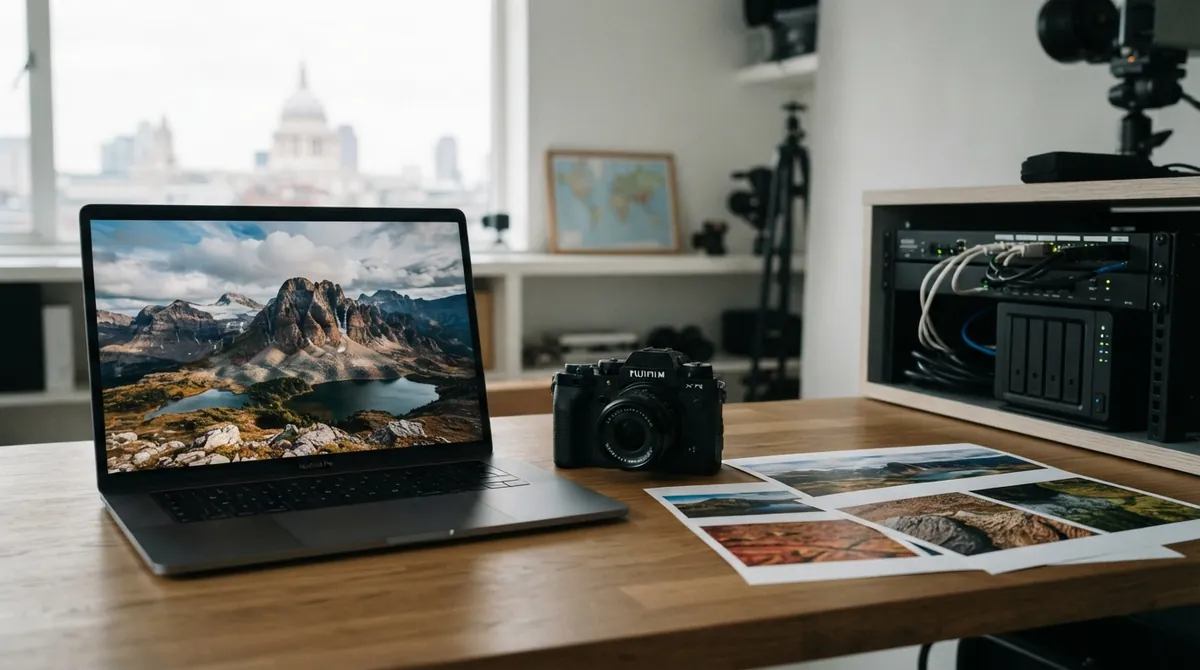
A high-resolution photo can look wonderful on a desktop and still feel heavy on a phone. The familiar JPEG format remains useful, but modern cameras and displays now carry more color, brightness, and detail than JPEG was designed to handle. Chrome 155 changes the conversation by adding built-in decoding for JPEG XL files, using a new Rust implementation called jxl-rs. (developer.chrome.com)
That does not mean every image should become .jxl overnight. It does mean web developers finally have another serious option for photographic, high-fidelity, and lossless images.
JPEG XL starts with a familiar problem
An image codec is the software and format used to compress and reconstruct an image. JPEG XL was designed as a modern codec rather than a narrow upgrade to JPEG. It is standardized as ISO/IEC 18181 and supports lossy compression, which trades a little image information for smaller files, as well as lossless compression, which preserves the source exactly. (chromium.googlesource.com)
Chrome’s announcement describes JPEG XL as offering 30–50% better compression than JPEG, but that number is a useful orientation rather than a promise for every asset. Your results will depend on the original image, encoder settings, and the quality target. A carefully tuned JPEG may still beat a poorly encoded JPEG XL file.
The format becomes more interesting as images become more demanding. JPEG XL supports high bit depths, wide color gamut, high dynamic range (HDR), transparency, animation, and progressive decoding. Progressive decoding means the browser can display a rough or partial version while more image data arrives, rather than waiting for the complete file before showing anything. (chromestatus.com)
There is also a clever bridge to the past. Lossless JPEG transcoding can package an existing JPEG into JPEG XL while preserving enough information to reconstruct the original JPEG bit-for-bit later. That is different from opening a JPEG, decoding it to pixels, and compressing those pixels again, which can introduce another generation of quality loss.
The decoder is part of the security story
Before a browser can display an image, its decoder must parse a complicated binary file supplied by a network connection, an upload, or an advertisement. That makes image decoding a security-sensitive job. A bug such as an out-of-bounds read, heap overflow, or use-after-free can turn malformed image data into a browser vulnerability.
Chrome’s JPEG XL support uses jxl-rs, a JPEG XL decoder written in Rust. Rust is a systems programming language with compile-time checks designed to prevent many classes of memory errors. It is not a magical security shield, but it makes the dangerous parts of a decoder much harder to write accidentally. The jxl-rs project says most of its code uses safe Rust, while performance-critical unsafe code is kept in smaller, reviewed areas.
This matters even though Chrome already uses sandboxing. A sandbox is an additional barrier that limits what compromised code can access; it is not a reason to ignore bugs in the code running inside it. Moving the decoder toward memory-safe Rust strengthens the earlier layer instead of relying on the last line of defense.
Safe code still has to be fast
Image decoding can involve millions of pixels, color conversion, transforms, and several temporary buffers. A safe implementation that makes a phone wait longer for every photograph would not be a satisfying trade.
The performance work centers partly on SIMD, short for single instruction, multiple data. SIMD lets a processor apply the same operation to several numbers at once, which is useful when a decoder is performing the same calculation across long rows of pixels. The Chrome team describes jxl_simd, a Rust abstraction inspired by the Highway library used in the C++ JPEG XL implementation, along with newer Rust support that allows SIMD instructions without spreading unsafe code throughout the project.
The decoder also tries to avoid unnecessary data copies and uses processing paths designed for work that crosses image-region boundaries. Those details sound low-level, but they affect the moment a user notices most: whether a large photograph appears promptly or sits blank while the browser works. The project tracks results across hardware platforms rather than treating one desktop benchmark as the whole story.
Browser support needs more than one successful <img>
A format is not truly useful on the web because one test image opens in one browser. Developers need predictable behavior in <img>, responsive <picture> elements, CSS backgrounds, canvas APIs, preload hints, animation, color management, and HDR displays.
That is why JPEG XL became part of the Interop 2026 investigation. Interop is a cross-browser effort built around automated web-platform tests. The JPEG XL work covers features such as high bit depth, wide color gamut, HDR, alpha channels, animation, progressive rendering, and lossless JPEG transcoding. It also checks integration points ranging from <picture> and CSS background-image to canvas and the ImageDecoder API. (github.com)
This testing effort is easy to overlook, but it may be the difference between a format that looks promising in a demo and one that behaves consistently in production.
A practical way to adopt JPEG XL
Chrome 155 recognizes the image/jxl media type. For a real site, keep a fallback while browser support and your own analytics continue to develop. The <picture> element lets the browser choose the first source it understands:
<picture>
 <source type='image/jxl' srcset='/images/mountain.jxl'>
 <source type='image/avif' srcset='/images/mountain.avif'>
 <source type='image/webp' srcset='/images/mountain.webp'>
 <img src='/images/mountain.jpg'
 alt='Snowy mountain at sunrise'
 width='1600'
 height='1067'>
</picture>
The order is deliberate. JPEG XL gets the first opportunity, AVIF remains a strong alternative, and the JPEG fallback keeps the image available to older browsers and tools. Chrome recommends trying both AVIF and JPEG XL instead of assuming one format wins for every kind of image. JPEG XL is particularly suited to photographic assets where lossless quality, HDR, or finely staged progressive loading matters. (developer.chrome.com)
Encoding belongs in your build or media pipeline, not in the browser. The reference libjxl tools include cjxl for encoding and djxl for decoding:
cjxl --distance=1.0 photo.png photo.jxl
djxl photo.jxl preview.png
The --distance value controls visual fidelity; zero represents lossless compression, while higher values allow more compression. Existing JPEG files have a special lossless-recompression path in the reference tools, so test that workflow separately from ordinary PNG or camera-source encoding. (chromium.googlesource.com)
Measure the files you actually serve. Compare transfer size, decode time on a mid-range phone, and visible quality at the sizes your interface uses. A format that saves bytes but delays the first usable preview may not improve the page.
The bigger change
Chrome 155 does not make JPEG XL an automatic replacement for JPEG, AVIF, PNG, or WebP. It removes a major barrier by making the format a first-class browser input, then backs that support with a memory-safe decoder, serious performance work, and cross-browser testing.
For developers, the sensible next step is selective adoption: encode a representative set of photographs, preserve fallbacks, and judge the results on real devices. JPEG XL is no longer only an interesting file on the edge of the web. It is becoming part of the web image toolkit.
Comments (0)
No comments yet. Be the first to respond!
Leave a Comment
Your comment will be visible after review.