Learning Complex Topics with LLMs by Building Simulations
 by ahsan
August 10, 2026
6 min read
by ahsan
August 10, 2026
6 min read
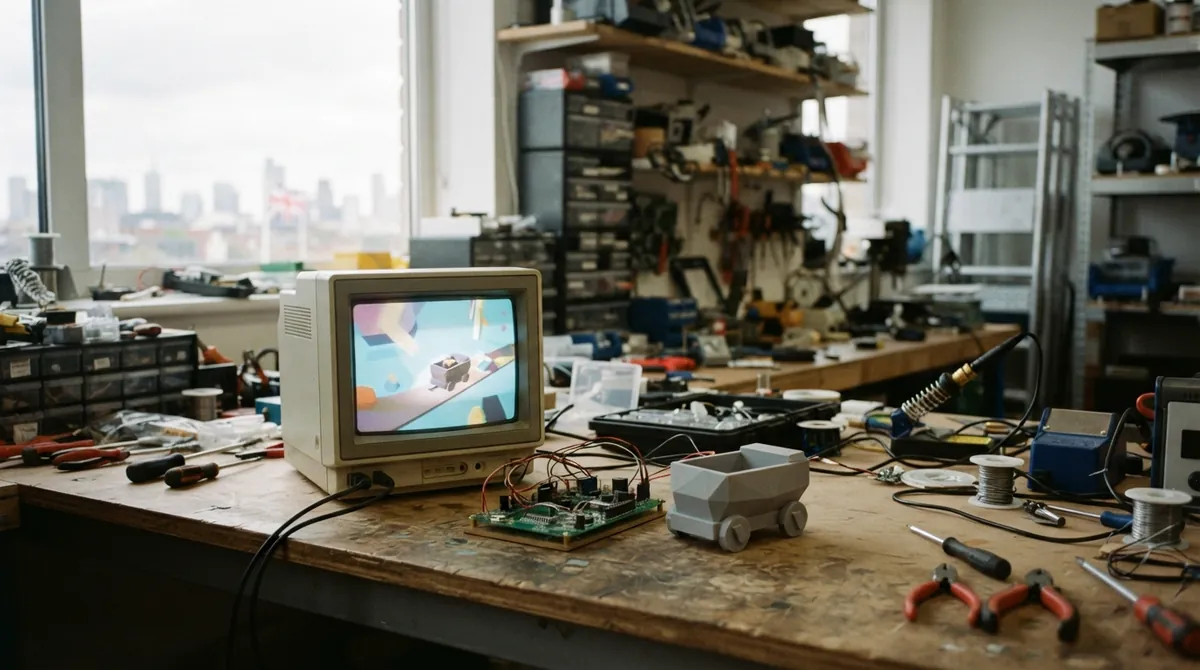
Picture this: you’re knee-deep in data-center planning, and suddenly you hit a wall on a topic that feels “adjacent but essential” — chip manufacturing. You can find articles, but the story is fractured into vendor decks, blog posts, and half-explanations. Then an LLM starts talking… and the explanation arrives in a steady stream of generic bullet points, as if every factory floor is the same. That mismatch is what pushed a different approach to the front of my brain.
This post shares a learning flow built around one idea: instead of asking an LLM to explain, ask it to help you model a topic. A model you can run, step through, and validate beats a model you only read.
Why LLM explanations feel slippery
Most LLM responses are persuasive at the sentence level but fragile at the system level.
- LLM (Large Language Model): a type of AI trained to predict likely next text tokens, so it can generate explanations from patterns in data.
- Hallucination: when an AI confidently states something that is incorrect or unsupported.
When learning is hard, it’s usually because you’re missing structure — the causal links between steps, the order of operations, the “what changes when you change input,” and the constraints that keep one step from happening before another. If an explanation doesn’t expose that structure, it reads like a travel brochure. Great for vibes. Weak for mental simulation.
So the goal becomes clear: make the LLM produce artifacts that force structure to show up.
One question that tends to matter during searching is: “What would I build to teach this to someone else without relying on my memory?” That question naturally leads to interactive representations.
The three-stage flow: plan → verify → simulate
The method has three phases. Each phase has a different job, and each job targets a different failure mode.
Stage 1: Build a foundational knowledge base (in plan mode)
Rather than jumping straight into a story or a demo, start with a knowledge base — a compact but explicit set of concepts and step relationships.
- Plan mode (in tooling terms): a workflow mode where the assistant is expected to propose an approach without making irreversible changes immediately, often with reduced risk of doing “real actions” while it’s still reasoning. Some coding-agent tools explicitly distinguish plan vs build behavior. (opencodex.cc)
A good knowledge base is not a wall of text. It’s closer to a dependency graph written in prose.
Use a prompt like this:
You are building a learning knowledge base for topic X.
Output must include:
1) Vocabulary (definitions of key terms)
2) A chronological step list (what happens first, second, …)
3) For each step: inputs → process → outputs
4) Constraints (what must be true for the step to be possible)
5) Common misconceptions
Keep it factual and internally consistent.
The crucial trick here is the “inputs → process → outputs” requirement. That structure turns fuzzy descriptions into something you can later animate.
Also: define acronyms on first use inside the knowledge base. LLMs love abbreviation chains. Your future self does not.
Stage 2: Review accuracy of what the model produced
Now we treat the LLM like a draft author, not a final authority.
Ask it to audit its own work.
- This doesn’t guarantee perfection.
- But it does create friction: the model must re-open claims and check consistency.
Prompt example:
Review the knowledge base for topic X.
1) Flag any unclear or underspecified steps.
2) Identify claims that contradict earlier constraints.
3) List any assumptions you made.
4) Propose corrections with revised wording.
Do not add new topics; focus on accuracy and internal consistency.
This step is also where you start noticing “missing links.” If the simulation later needs an event, but the knowledge base never defined the event’s inputs, you learn that gap now rather than after the animation is built.
Stage 3: Turn the knowledge base into a simulation (low-poly game-like storyboard)
This is the part that makes the learning stick.
Instead of an explanatory essay, you generate a simulation: a series of scenes, transitions, and visual states that correspond to your step list.
A simulation, in this context, is not a physics experiment. It’s a structured sequence that lets you “play” the manufacturing process, exposing state changes over time.
The approach uses a low-poly, game-like aesthetic for a reason:
- It forces abstraction.
- It reduces the temptation to mimic real CAD models before the logic is correct.
- It makes the learning about flow rather than about artistic detail.
Then you add UX elements.
- Responsive layout: content that adapts to screen size, so the learning doesn’t collapse on a phone.
- Controls: “stop,” “step,” and restart affordances so the viewer can control pacing.
Your goal is to create a small interactive narrative where each UI action corresponds to a knowledge step. The knowledge base becomes the simulation’s “rules,” and the animation becomes the “experience.”
You can even scaffold the simulation output format:
Create a simulation plan with scenes.
For each scene provide:
- scene title
- what changes visually
- which knowledge-base step it maps to
- required labels/legend items
- transition rules to the next scene
Keep visuals abstract (low-poly / simplified shapes).
That separation is important: it lets the LLM focus on mapping and state changes before it worries about final visuals.
Shipping it as a web artifact (the quiet superpower)
Once the simulation works as a storyboard, you generate the actual site and publish it.
Here’s the operational idea:
- Put content and assets in a repo (a repository on a version-control platform like GitHub).
- Use GitHub Pages to host the result as a free static website.
GitHub Pages is documented as a way to publish sites directly from a repository. (docs.github.com)
Why does this matter for learning?
Because it creates an external checkpoint.
A readable explanation can hide weaknesses. A running web page can’t. If a step is missing, the animation stalls. If the step order is wrong, the “cart” or progress state jumps backward and the illusion collapses.
Improving retention beyond animation
A simulation that only “shows” can still become passive. Retention usually improves when the viewer must retrieve information.
Two upgrades tend to work well:
1) Add challenges tied to earlier steps
After a viewer reaches a later scene, ask a question about a previous state. Retrieval practice (actively recalling details) often beats re-reading.
Example challenge style:
- “Which input was required for the previous transformation to happen safely?”
- “What output state would be missing if Step 3’s constraint wasn’t met?”
The key is that the question must be answerable from your simulation logic, not from vague memory.
2) Add variation, not just more content
Low-poly scenes are intentionally simplified. Over time, you can swap in more realistic objects without changing the underlying state model.
That means using higher-fidelity representations as a visual layer, while keeping the step mapping stable.
In other words, you’re upgrading the graphics, not the logic.
Common failure modes (and how this flow prevents them)
1) The “too generic” explanation problem
- Fix: require “inputs → process → outputs” and map every scene to a step.
2) The “confident hallucination” problem
- Fix: the accuracy review pass forces contradictions to surface.
3) The “beautiful but untestable” problem
- Fix: publish it. If it runs, it follows your model.
4) The “art first” trap
- Fix: low-poly early, realism later. Logic first, visuals second.
The result: learning that feels like a system, not a report
When the flow works, the LLM becomes a collaborator in building an internal model. You stop collecting facts and start learning relationships.
That’s why simulations outperform endless browsing. A browser tab gives you information. A step-by-step interactive model gives you an experience of causality.
Complex topics stop feeling like trivia and start feeling like a process you can reason about.
And maybe that’s the real reason the method sticks: you’re not memorizing manufacturing steps. You’re rehearsing how the world changes from one state to the next.
Comments (0)
No comments yet. Be the first to respond!
Leave a Comment
Your comment will be visible after review.