Linux From Scratch: Build a Linux System You Understand
 by ahsan
September 15, 2026
6 min read
by ahsan
September 15, 2026
6 min read
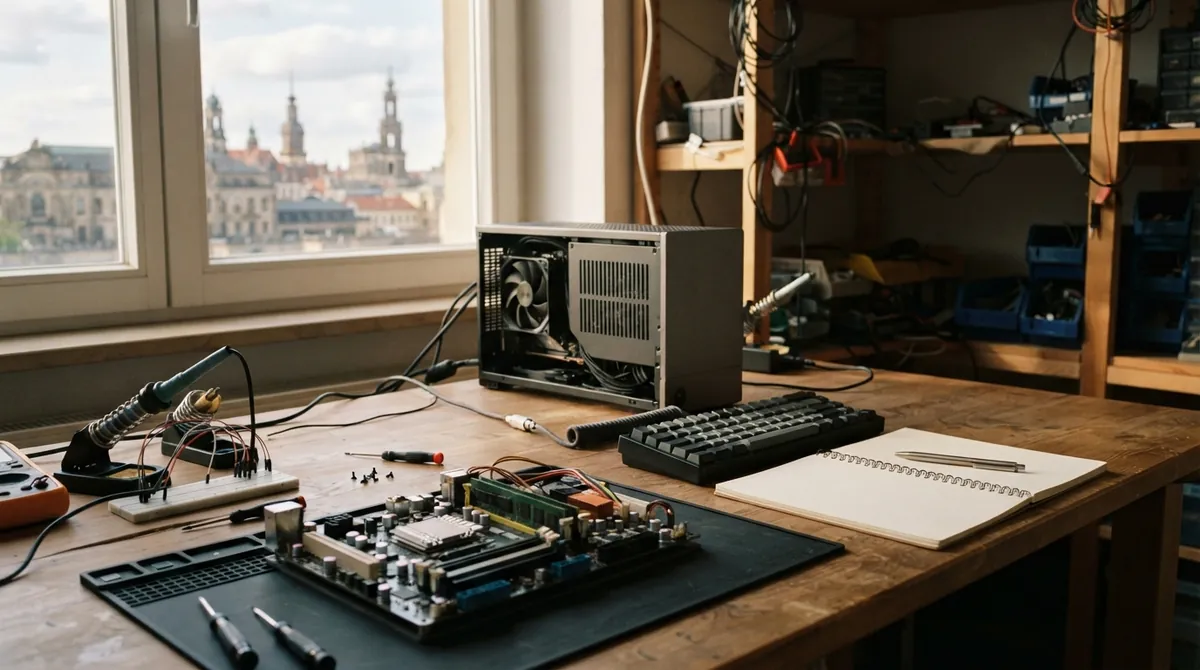
Linux From Scratch: Build a Linux System You Understand
On a normal Linux distribution—a packaged operating system built around the Linux kernel—you click through a few screens, reboot, and arrive at a working desktop. Underneath, a kernel, startup manager, C library, shell, device tools, compiler, and hundreds of libraries have already been selected and arranged for you.
Linux From Scratch (LFS) pulls back that curtain. It provides a carefully ordered book that explains how to compile a working Linux system from source code, the human-readable instructions from which executable programs are built. What is Linux From Scratch, and why build an operating system this way? The goal is less about producing a faster desktop and more about understanding every layer beneath it.
As of September 15, 2026, the current stable systemd edition is LFS 13.1, published on September 1, 2026. systemd is the service manager and first user-space program that starts services during boot. The book lists binutils 2.47, GCC 16.2.0, glibc 2.44, and Linux kernel 7.1.8. The older System V edition, based on traditional startup scripts, remains at version 12.4 and is no longer directly maintained.
What LFS actually gives you
Linux is technically the kernel: the part of the operating system that manages memory, processors, storage, and hardware devices. A kernel by itself does not give you a command prompt, file-copying tools, login programs, or a way to start services. Those pieces live in user space, meaning the collection of programs that run outside the kernel.
LFS builds that user space piece by piece. The GNU project’s core utilities provide familiar commands such as cp, mv, and cat. A shell, such as Bash, interprets commands typed at a terminal. The C library, glibc in the current book, supplies common functions that many programs use. A compiler translates source code into machine code, while a linker joins compiled pieces and libraries into an executable program.
That relationship becomes much clearer when you build it yourself. A program that refuses to compile is no longer a mysterious failure from an installer window. It may be missing a header file, an older library, or a tool that has not been built yet. The dependency chain becomes visible.
Why the build starts with a temporary system
The process begins with an already working Linux installation called the host system. It provides the first shell, compiler, linker, and other tools needed to construct the new system. The target system is the separate LFS installation being built, often on its own disk partition or inside a virtual machine.
This arrangement can feel backward. Why use Linux to build Linux? Think of the host as a temporary workshop. You need a workbench before you can build the house, but you do not want the finished house to depend on the workshop’s furniture.
That is why LFS builds some tools in stages. First comes a cross-toolchain: a matched set of build tools whose compiler runs on the host but creates programs intended for the target system. LFS then builds temporary utilities using that toolchain, reducing the chance that the host distribution quietly supplies an incompatible component.
Later, the build enters a chroot environment. The name means “change root,” and it makes the target directory appear to be /, the top of the filesystem, from inside the environment. An illustrative version looks like this:
export LFS=/mnt/lfs
printf '%s\n' "$LFS"

# Illustrative shape only; the book performs additional setup first.
chroot "$LFS" /bin/bash
This is not a virtual machine and not a complete security boundary. The new environment still uses the host’s running kernel, but its commands now find the target system’s libraries, directories, and programs first. The LFS instructions also switch carefully between an unprivileged lfs user and root, the administrator account, so early mistakes do not overwrite the host installation.
The book measures build times with an SBU, or Standard Build Unit. It is a rough comparison based on how long one reference package takes to build on a particular machine. The number helps set expectations without pretending every computer compiles at the same speed.
When the pieces become a bootable machine
Inside the chroot environment, the temporary tools are replaced or completed with the final versions. The build installs command-line utilities, libraries, a shell, networking components, configuration files, and the programs needed to start the machine cleanly.
You also create files such as /etc/fstab, a table that tells Linux which filesystems to mount and where to attach them. Language settings, users, groups, device handling, and service configuration are established by editing ordinary text files. There is no graphical setup wizard hiding the decisions.
Near the end, LFS builds the Linux kernel and installs GRUB, a boot loader that gives the computer a way to locate and start that kernel. The boot sequence then has a shape you can follow: firmware performs the machine’s initial startup, GRUB loads the kernel, the kernel begins running, and systemd starts the services needed for a usable system.
The first successful boot is intentionally modest. You may see a text console rather than a polished desktop. That is not a missing feature; it is the foundation. A graphical environment, web browser, sound stack, printer support, and many everyday applications come later.
The freedom comes with maintenance
LFS does not select one package manager for you. A package manager records which files belong to which software package and helps with upgrades or removal. The LFS book explains several approaches but leaves the decision to the builder because different systems need different trade-offs.
That freedom also creates a maintenance responsibility. You must track package versions, read security advisories, preserve build notes, and understand which libraries depend on one another. Updating a central library such as glibc is very different from replacing a small command-line utility. For a learning project, this ownership is valuable. For a machine that must receive effortless updates, a conventional distribution may be a better fit.
A virtual machine or spare disk makes the learning process less stressful. Keep the exact book version nearby, save command output, and resist the temptation to paste every command without reading it. In LFS, a failed build often teaches more than a successful one because it points directly at a missing dependency or an incorrect assumption.
Beyond the first boot
The companion project Beyond Linux From Scratch (BLFS) takes the base installation further. Its current stable systemd edition is version 13.1, published September 3, 2026, and it covers additions such as networking, graphical interfaces, sound, printers, scanners, and programming environments.
Other LFS projects serve narrower purposes. Automated Linux From Scratch, or ALFS, helps automate builds. Multilib Linux From Scratch, or MLFS, focuses on building and running programs for more than one binary format, including 32-bit software. Gaming Linux From Scratch, or GLFS, builds on the wider LFS ecosystem with gaming-related software. Hints and patches fill in specialized techniques when the main books do not cover a particular need.
Linux From Scratch earns its name because it exposes the layers that finished distributions normally hide. You begin with a working host, build a clean target in carefully controlled stages, and finish with a system whose decisions you can explain. The lasting result is not only a bootable computer. It is a map of Linux that makes future errors, dependencies, and startup behavior far less mysterious.
Comments (0)
No comments yet. Be the first to respond!
Leave a Comment
Your comment will be visible after review.