MartyPC: Writing a Cross-Platform, Cycle-Accurate PC Emulator in Rust
 by ahsan
August 23, 2026
8 min read
by ahsan
August 23, 2026
8 min read
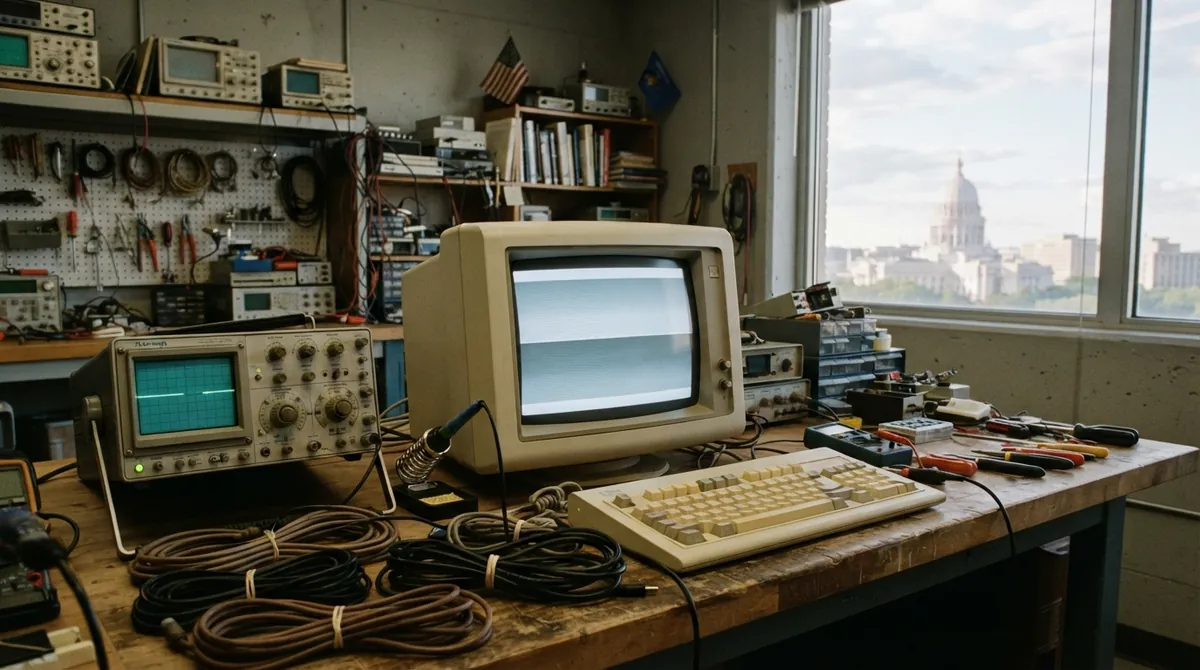
Picture this: you open a web page, wait for an old-school computer to start, and then—suddenly—the display starts speaking that familiar language of 1980s timing. Not pixels first. Timing first.
That’s the vibe behind MartyPC, a cross-platform emulator of early IBM PC–style machines written in Rust. It’s built to emulate several 8088-based systems, and it puts a lot of effort into accuracy, including cycle-level CPU behavior and hardware-like peripheral timing.
This post walks through how an emulator like MartyPC thinks, where the hard parts hide, and what “cycle-accurate” really means in practice.
What an emulator actually emulates (and why time is the boss)
An emulator is a program that recreates another computer’s behavior. The goal isn’t “make software run in a vague way.” The goal is that the software observes the same machine state at the same moments.
On early PCs, software doesn’t just compute results. It also pokes hardware registers, relies on interrupt timing, and expects specific delays. That’s why time is central.
Cycle accuracy, defined
A cycle is one step in the hardware’s internal clock. When people say cycle-accurate, they mean the emulator attempts to match what the real CPU and surrounding logic would do on each clock tick, not merely “execute the same instructions eventually.”
Why does that matter? Because many programs—demos, games, and low-level utilities—use timing tricks. If the emulator runs an instruction “about right” but slightly too early or too late, hardware interactions drift and the effect breaks.
MartyPC’s focus: 8088 machines and hard-nosed validation
MartyPC targets systems built around Intel’s 8088 CPU family. The 8088 is an x86-era processor that’s famous for powering the original IBM PC and related systems. In MartyPC’s case, the “main act” is the IBM 5150, the IBM 5160 XT, and a “generic XT clone.” It also has preliminary support for the IBM PCjr and Tandy 1000, but those are flagged as potentially buggy and unstable.
The project’s defining technical claim is the push toward cycle-accurate CPU behavior. MartyPC’s 8088 emulation started as a hobby project and later moved into a validation process where an emulator instruction stream is compared cycle-by-cycle against a real 8088 connected to an Arduino MEGA microcontroller.
That process matters because it replaces guesswork with measurement. If you can observe discrepancies at the same cycle boundaries, you can fix the real cause rather than papering over symptoms.
A quick mental model: BIU, instruction queue, prefetch queue
Inside an 8088-style CPU, execution isn’t one simple “do instruction, move on” loop. There are internal pipelines and buffering.
MartyPC describes emulating details including:
- BIU (Bus Interface Unit): the part of the CPU that handles bus activity—fetching bytes from memory for instruction execution.
- Instruction queue: a buffer of already-fetched instruction bytes waiting to be executed.
- Prefetch logic / prefetch queue: the CPU tries to look ahead and keep the instruction queue filled so execution doesn’t stall waiting on memory.
For an emulator, this means the CPU core can’t just interpret opcodes in isolation. It must model how instruction bytes enter the pipeline and how stalls or timing differences ripple into execution order.
The emulator architecture: CPUs aren’t enough
Once the CPU starts running, it immediately interacts with memory-mapped hardware and I/O devices. Classic PC machines are basically a network of timed components.
A practical emulator architecture usually splits into modules that all agree on a single shared idea of time.
MartyPC models a wide set of devices, including:
Core peripheral chips (the ones that make a PC feel like a PC)
- 8255 PPI: an 8255 Programmable Peripheral Interface, used for keyboard-related logic and other parallel I/O.
- 8259 PIC: an 8259 Programmable Interrupt Controller, responsible for interrupt delivery.
- 8253 PIT: an 8253 Programmable Interval Timer, used for periodic timing and for the PC speaker sound path.
- 8237 DMA: the 8237 DMA controller, which moves data without CPU involvement.
- 8250 UART: a serial port controller for COM ports and mouse passthrough/emulation.
If any one of these drifts in timing, software that depends on interrupts, DMA transfers, or exact timer tick behavior can fail.
Storage, input, and “the glue”
Emulators also need disk and I/O support that matches the era.
MartyPC includes emulation for:
- µPD765 FDC (floppy disk controller), with enough robustness for DOS and Minix-class usage.
- HDC / XT-IDE / jr-IDE paths for hard-disk-style storage on supported machine variants.
- Input devices: emulated keyboard variants, a serial mouse option, and joystick support via the classic game port concept.
Video is where “almost right” becomes “visibly wrong”
Video emulation often becomes the most noticeable part because humans watch the screen. But video timing is also deeply tied to CPU timing and interrupts.
MartyPC approaches different graphics adapters differently, but the recurring theme is that it treats video as something that evolves over time.
CGA: dynamic timing and field simulation
CGA (Color Graphics Adapter) is the early color graphics standard used by the IBM PC and XT era. MartyPC describes its CGA approach as dynamic, cycle-or-character clocked.
That phrase matters.
- Cycle-clocked means behavior advances with CPU-like timing at fine granularity.
- Character-clocked means the model steps in units related to text/character timing rather than every raw CPU cycle.
MartyPC’s CGA implementation also simulates the entire display field, including overscan. Overscan is the phenomenon where the real display timing draws slightly beyond the “expected” visible area. If an emulator ignores overscan, some demos and visual tricks won’t match.
It also supports composite output and monitor simulation using composite conversion techniques.
EGA, MDA, and Hercules: character-clocked logic that still feels real
For MDA (Monochrome Display Adapter) and EGA (Enhanced Graphics Adapter), MartyPC uses character-clocked strategies built around the MC6845 CRTC (CRT Controller) concept.
The CRT controller is the chip that orchestrates how the screen is scanned: how many characters per line, how many scanlines per frame, and when the video system fetches display data.
MDA in MartyPC can optionally emulate Hercules behavior (a monochrome high-resolution mode lineage).
For EGA, MartyPC describes features like:
- redefinable fonts
- VSync interrupts (vertical synchronization interrupt behavior)
- per-scanline pel-panning (panning tuned at scanline boundaries)
These details reflect the reality that many programs synchronize effects with scanlines.
VGA: “in development,” but modes already working
MartyPC’s VGA emulation is stated as still in development, but it already has working graphics modes such as Mode 13h and Mode X.
The key implementation trick: one timeline shared by all devices
An emulator is often harder to design than to code. The hardest part isn’t translating instructions—it’s building a consistent system timeline.
A common strategy is:
- The CPU core executes instructions.
- Each instruction consumes a number of cycles.
- Devices advance based on those cycles or schedule events at cycle boundaries.
So instead of each component “running on its own clock,” everything marches forward on the same shared simulation time.
MartyPC’s peripheral timing includes places where certain transfers are treated with pragmatic approximations (for example DMA transfer handling is described as “faked” in some respects), while other parts are treated with high accuracy (like the PIT and video timing).
That blend is typical in emulator projects: measure what must be exact, approximate what software doesn’t heavily observe, and keep iterating.
Debugging and inspection: making hardware behavior observable
Cycle accuracy only pays off when you can see what’s happening.
MartyPC includes an extensive debugging GUI with tools for viewing:
- disassembled instructions (human-readable opcode decoding)
- CPU state (registers and internal flags)
- memory contents (so you can confirm what the software wrote)
- peripheral states (so you can track what changed in timers, interrupts, and so on)
- code and memory breakpoints
- instruction and cycle-based logging
In emulator development, that tooling turns “it doesn’t work” into “it’s off by one cycle because X.”
Cross-platform and the web: Rust + careful frontends
MartyPC runs as a desktop emulator on Windows, Linux, and macOS.
But it also has a web version built via WebAssembly (Wasm). WebAssembly is a binary format designed to run in the browser at near-native speed, typically paired with a JavaScript “shell” for UI and I/O.
The web angle changes constraints: performance budgets tighten, input handling differs, and file/disk access must be bridged carefully. Yet the same core emulation can still live underneath.
Overlays and configurations: building a “machine” from parts
A big practical question is: how do you represent “an IBM PC with this card installed” without hardcoding a single model?
MartyPC supports custom configurations built from base machine profiles plus optional overlays. An overlay is an extra configuration layer that behaves like installing a card upgrade into the emulated hardware.
Conceptually, it’s like composing a PC out of modules:
- choose a base motherboard model
- add video, memory expansions, sound, storage controllers
- wire them into the bus and device map
A well-designed emulator configuration system keeps the emulation logic modular. That matters not only for users, but also for development: adding a new device becomes a “plug-in” task rather than a rewrite.
What MartyPC teaches about building emulators in Rust
Rust’s strengths show up naturally in emulator design:
- clear ownership of memory buffers helps prevent accidental sharing bugs
- types can model device interfaces and state transitions
- safe concurrency primitives (when used carefully) can support clean separation of subsystems
But the deeper lesson is about process:
- Measure against real hardware when possible.
- Treat time as a first-class concept.
- Emulate the system as a set of devices that all respond to shared clock boundaries.
- Build debugging tools early, because correctness depends on visibility.
And when you get the timing right, the screen stops being “a recreation” and starts feeling like a living machine.
Conclusion
MartyPC sits in a sweet spot for emulator builders: it’s ambitious enough to aim at cycle-level CPU behavior and hardware-like video timing, but structured enough to keep adding peripherals, storage, and machine variants without turning the codebase into spaghetti.
The real story isn’t that it emulates old PCs. It’s that it treats old PCs the way their original software treated them: as a timed system where everything—from interrupts to scanlines—happens in the same shared rhythm.
Comments (0)
No comments yet. Be the first to respond!
Leave a Comment
Your comment will be visible after review.