My server is a phone now
 by ahsan
August 09, 2026
7 min read
by ahsan
August 09, 2026
7 min read
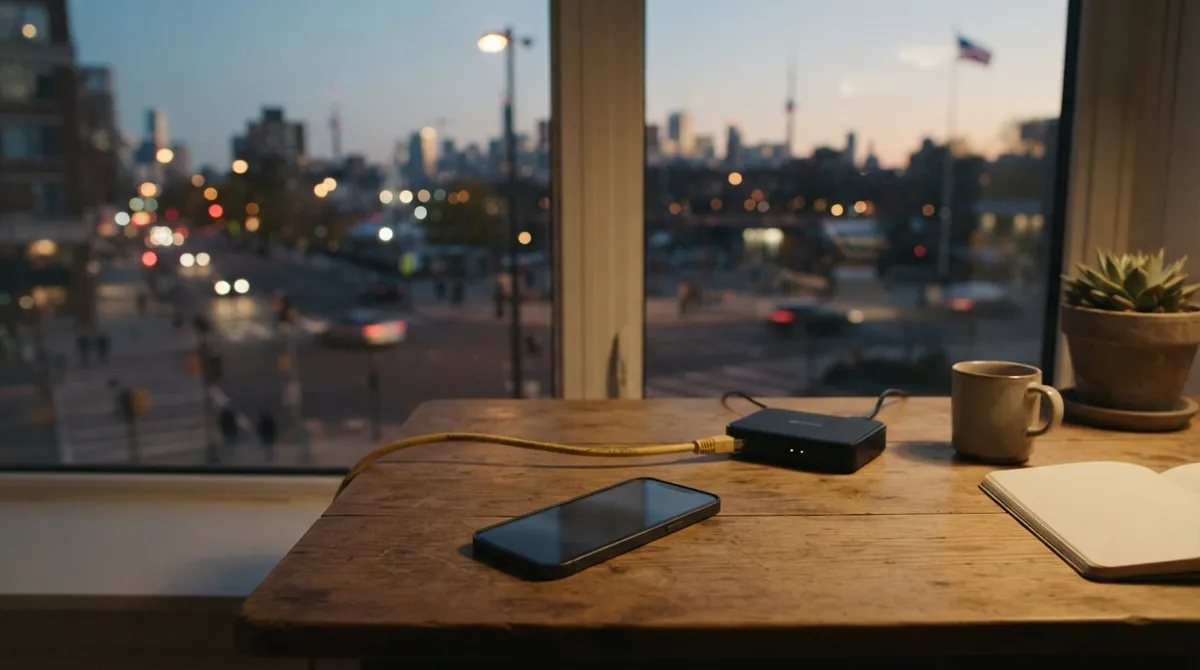
The day a phone replaced a VPS
For a while, our personal infrastructure lived in the most boring place possible: a tiny VPS hosted in someone else’s data center. It ran a couple web apps, a remote browsing setup, and the usual “supporting cast” of reverse proxies and tunnels.
It worked. The annoying part was paying for it.
Then the real constraint showed up: not bandwidth, not storage—CPU bursts. Chrome only reveals how badly your machine is coping once it gets actual work to do. The cheapest shared options started feeling “starved,” and dedicated CPU machines fixed that… at the exact moment the monthly bill stopped feeling like a bargain.
Buying a second machine wasn’t glamorous either. Memory prices made the “build something comfortable” plan feel like budgeting for a luxury object.
That’s when the CMF Phone 1 in a drawer started looking less like an artifact and more like hardware waiting for a job. The phone is built around a MediaTek Dimensity 7300 5G SoC, plus a 5,000 mAh battery (and it’s designed to stay power-efficient). (intl.nothing.tech)
So we did the slightly ridiculous thing: we turned the phone into the machine that actually replaced the VPS.
Could a phone really be reliable as a server? Yes—but not by pretending it’s a desktop computer.
First bad idea: “Let’s flash a normal Linux”
The cleanest version of the plan sounded great in theory: flash a Linux distribution onto the phone, so it would behave like a normal server.
On paper, it had promise. There’s a postmarketOS device port for the CMF Phone 1, and it boots. In practice, “boots” didn’t mean “runs.” Once we got to the splash screen, we hit a black display and a handful of other “marked broken” pieces: Wi‑Fi, Bluetooth, and hardware acceleration.
At that point, the phone stopped being a server and started being a mystery box.
Recovering stock Nothing OS turned into a side quest. The flashing tool needed Windows, so we provisioned Windows in QEMU, wrestled with USB passthrough and driver issues, and watched the flasher hang at exactly the wrong moments. Eventually we moved to an actual Windows installation and restored the factory images.
The lesson learned was blunt: Android isn’t there as a decorative layer. Android already has working drivers for the hardware we care about—Wi‑Fi, power management, GPU, and the modem.
Throwing away that battle-tested plumbing in pursuit of a “more conventional userspace” was the wrong trade. The server didn’t need to become a normal Linux machine.
It needed to run Linux applications reliably, while Android continued doing the hardware-specific work it’s good at.
The winning idea: keep Android, treat Termux as the host
The second attempt followed a more realistic split of responsibilities:
- Android stays in charge of kernel drivers and power behavior.
- Linux userland tools come from Termux.
Termux is an app that provides a Linux-style environment inside Android. In this setup, Termux becomes the “host control plane” where we can run services, manage packages, and expose SSH.
But the big detail is startup. Termux:Boot is an add-on that runs specified scripts at boot, using the Termux environment as the place to kick off the service supervisor and SSH after every reboot. (github.com)
From there, the network story becomes manageable. Using Tailscale, the phone gets a stable private address inside a “tailnet” (Tailscale’s private mesh network). Instead of relying on which Wi‑Fi network the phone happens to be attached to, our workstation reaches the phone through the VPN.
An always-on VPN matters here, because it makes “phone moved to a new network” feel boring instead of fragile. Android provides an always-on VPN capability (introduced in Android 7.0 / API 24), which is exactly the mechanism that allows a VPN client like Tailscale to reconnect automatically when the device restarts. (developer.android.com)
Now we can draw the recovery chain that makes this feel like a real appliance:
Android boot
 -> always-on VPN comes up
 -> Termux:Boot starts the service supervisor
 -> runit starts resident services
 -> health checks verify local + public endpoints
That last part—health checks—is what turns “it works on my desk” into “it survives reboots without our attention.”
runit: the service lifecycle we can trust
A phone server can’t rely on “I’ll remember to start it again later.” So we need a supervisor—a process manager that keeps services running, restarts them when they crash, and generally owns the lifecycle.
runit does exactly that with a simple model: each service lives in its own directory, and runit watches those service directories to start and supervise processes. (smarden.org)
The result is practical:
- Termux is where we define what should run.
- runit is where the “keep it alive” behavior lives.
- Android stays in charge of the hardware-level annoyances like sleep and radio power.
There’s no systemd. There’s no Docker daemon. And that’s not a problem—because we’re not building a conventional Linux server.
We’re building a Linux-kernel-backed service host that happens to run on Android.
Second bad idea: proot for convenience… until performance matters
A bunch of our apps already shipped as Linux ARM64 OCI images.
OCI images are container image artifacts (think: a packaged filesystem plus metadata) that are common in Docker/Container ecosystems, often distributed by digest.
Running those images under Termux sounds like the perfect place for compatibility tricks. That’s where proot-distro comes in.
proot-distro uses PRoot to create a chroot-like environment without requiring root access or extra kernel modules. It’s not a security boundary; it’s more like a compatibility layer that convinces a process it’s inside a filesystem layout it expects. (github.com)
Initially, it’s wonderful.
- Web services start without drama.
- Caddy can route to local ports.
- Each application can run with the filesystem it expects.
But Surf—the remote browser workload—shows the limits.
Surf isn’t “just another web service.” It’s CPU- and syscall-heavy in bursts: launching processes, loading libraries, reading profiles, and moving capture data around. Every layer we add matters.
Under PRoot, Chrome’s workload didn’t reach CPU efficiently. Performance wasn’t only slower—it felt wrong in latency-sensitive moments. In other words, it wasn’t “slower hardware,” it was “added translation overhead.”
So we changed the strategy for the hot path.
Instead of leaving Surf in PRoot, we mounted and entered the same Debian filesystem more directly using a real chroot into the expected root filesystem.
The same app images could still be the artifact. But the runtime path became more native: fewer userspace interception layers, more direct kernel calls through Android.
The improvement wasn’t subtle.
Stop treating infrastructure like shell history
Once the phone could run everything, the temptation returned: “Cool, so now we can just keep typing commands.”
That’s how pet servers happen—works great until the one day the magic incantation gets lost.
Instead, the host state moved into an Ansible-managed repository: versions, service definitions, routes, secrets, and health checks all declared in one place.
Ansible is a configuration management tool: you write the desired system state in YAML, and it applies changes consistently.
The deploy pipeline became artifact-driven:
- Workstation builds or exports ARM64 root filesystems.
- The phone receives them and verifies what it’s installing.
- A small root helper mounts the expected paths in a private mount namespace.
- The app entrypoint starts inside the correct Debian filesystem.
Because the filesystem and entrypoints are consistent, Docker or a compiler doesn’t have to exist on the phone. Those “containers” are treated as compatibility environments and filesystem payloads, not as security boundaries.
Even the mount namespace idea is about predictability: controlling what mounts exist, and keeping cleanup from turning into a mess.
What this architecture teaches
There’s a quiet philosophy behind the whole setup:
- A server is a behavior, not an operating system.
- Kernel compatibility and reliable service supervision matter more than matching an idealized server stack.
- Containers and chroot environments are tools for making software believe it’s in a familiar world.
The phone strategy worked because we stopped fighting Android and started using it. Android’s battery management is built for a phone pretending to be mobile, not a server pretending to be a kiosk. So we gave Android specific exemptions (wake locks, idle behavior adjustments, and preventing the VPN and Termux runtime from being background-killed).
Then we wrapped the whole thing in a boot chain that makes recovery boring:
- always-on VPN restores reachability
- Termux:Boot starts runit
- runit starts services
- health checks confirm both local and public paths
That’s the part that feels like real infrastructure.
Conclusion
Turning a phone into a server didn’t happen by turning it into a desktop Linux box. It happened by respecting the layers:
Android keeps control of hardware drivers and power behavior, Termux provides a comfortable Linux userland, and runit owns the service lifecycle. Compatibility layers like proot can be great for broad application support—but hot workloads like Surf are where you feel the cost of interception, and a real chroot path pays off.
Once the deploy and health-check story is formalized (in this case with Ansible and versioned artifacts), the drawer device becomes something else entirely: a reachable, reboot-tolerant machine.
And that’s why the VPS didn’t come back.
Comments (0)
No comments yet. Be the first to respond!
Leave a Comment
Your comment will be visible after review.