OpenShot 4.0: From Screen Capture to Finished Video
 by ahsan
August 31, 2026
6 min read
by ahsan
August 31, 2026
6 min read
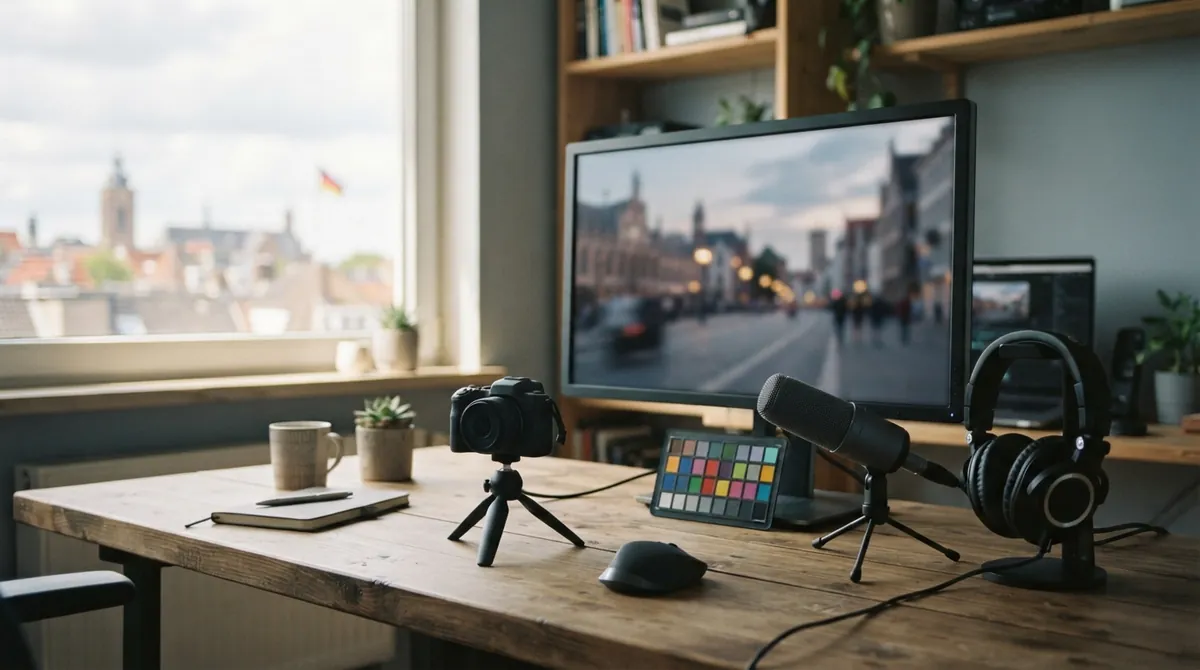
Picture the end of a recording session: your screen capture is in one folder, the webcam video is somewhere else, and the microphone picked up a fan that was louder than expected. Before the real editing begins, you are already moving files between tools.
OpenShot 4.0, released on August 30, 2026, brings those jobs closer together. This free, open-source non-linear video editor—a tool that lets you arrange clips without changing the original media—can now capture footage, shape its color, isolate subjects, add reactive graphics, and prepare the final export in one desktop project.
What makes OpenShot 4.0 different from a routine version update? The biggest change is not one spectacular button. It is the reduced friction between the stages of making a video.
record → separate clips → trim → correct color → add a look → mask or animate → export
The first big change happens before editing
OpenShot’s new Recording View can capture your microphone, screen, webcam, and system audio. System audio means the sounds produced by your computer, such as application audio or a presentation playing in the background. You can choose one source or several, and each enabled source remains a separate media file and timeline clip.
That separation matters. A mixed recording behaves like ingredients baked into one solid block: changing one part often affects everything. Separate clips let you lower the computer audio without touching your voice, crop the webcam independently, or replace a bad voice-over take while keeping the screen recording intact.
OpenShot can also preview an existing project while you record a voice-over or webcam commentary. The Audio > Record command provides a quick path from a selected clip to a new take, while No Track stores several recordings in Project Files without placing every attempt on the timeline. When screen and webcam capture are combined, the editor can arrange the camera as picture-in-picture, meaning one video appears inside another.
Capture options depend on the operating system, hardware, and permissions. Windows, macOS, Linux X11, and Linux Wayland with PipeWire are supported through different native recording paths, so screen, window, region, camera, and system-audio choices may not look identical on every computer.
Color work becomes part of the editing room
OpenShot 4.0 also introduces a dedicated Color View. Color correction repairs an image: it can brighten underexposed footage, reduce a color cast, or recover detail in bright areas. Color grading goes further by creating a deliberate mood, such as cool shadows for a night scene or warmer highlights for a nostalgic look.
Right-click a clip and choose Look > Adjust Colors to add the Color Grade effect. Its first controls are practical ones. Exposure describes overall brightness, contrast controls the separation between dark and light areas, and temperature and tint adjust the balance between cool, warm, green, and magenta tones.
As your confidence grows, the same effect opens into more precise work. Color wheels are circular controls for steering color in the shadows, midtones, highlights, or the whole image. Curves let you reshape brightness or individual red, green, and blue channels by moving points along a graph. A LUT, short for lookup table, is a prepared color mapping often used to create a film-style appearance; OpenShot supports .cube LUT files and lets you reduce their intensity instead of applying them at full strength.
The effect is keyframable. A keyframe is a saved property value at a particular moment in time, so you can make a color change gradually, compensate for lighting that shifts during a shot, or reveal a stylized look as the scene develops.
The Color View’s video scopes provide another way to judge an image. A scope is a measurement display for picture data rather than a preview based only on your monitor. The luma waveform shows brightness across the frame, the histogram shows how tones are distributed, the RGB parade compares red, green, and blue channels, and the vectorscope shows color direction and saturation. A region tool lets you inspect only part of a frame, while a skin-tone guide helps keep faces from drifting toward unnatural colors.
Local AI masks keep the subject under control
A mask is a shape that tells an effect which part of an image to change. In OpenShot 4.0, the new Object Mask can use downloadable machine-learning models—software trained to recognize visual patterns—to select and follow a subject locally on your computer.
That makes several editing jobs more practical. You can blur a license plate, brighten a person, change the color of a product, or invert the mask so the background receives the effect instead. The footage does not need to be uploaded to a cloud service, and the feature does not require an AI account or subscription. Processing speed still depends on your hardware and the model you choose.
Object Detection has also been expanded with downloadable YOLOv5 models in ONNX, a portable format for machine-learning models. Newer controls cover detected objects, segmentation masks, labels, and transformations, giving advanced users more room to build composites without sending footage away from the editing machine.
Ten effects add sound, texture, and movement
The new effects are not limited to decorative filters. Audio Visualization can turn a soundtrack into waveforms, bars, radial patterns, spectrum displays, particles, or VU meters, which are visual indicators of audio level. Beat Sync creates a color layer that reacts to beats and loud sounds, with controls for sensitivity and the speed of its response.
Other additions target the small imperfections that make footage feel unfinished. Film Grain adds animated texture inspired by formats such as 35mm and Super 8. Denoise Image reduces brightness grain and color speckles. Shadow and Glow add depth or light around visible pixels, while Displacement Map can create ripples, heat haze, or other warping effects. Timer rounds out the group with count-up and count-down graphics for lessons, challenges, and presentations.
A quieter, faster timeline
The timeline has received a foundational rewrite. OpenShot now uses a native timeline, meaning the editing surface is drawn directly by the desktop application’s interface toolkit rather than relying on older web-based components. Clips, transitions, tracks, rulers, menus, and keyframes behave more consistently, with smoother zooming, clearer thumbnails, editable timecode, and more readable animation controls.
These details show up during ordinary work. You can click the current timecode, type a new position, and move the playhead there. Retiming a clip scales its nested keyframes, so animation does not stay behind when the clip changes length. The result is less wrestling with the interface and more time looking at the actual edit.
OpenShot’s performance tests compared version 4.0 with 3.5.1. In those workloads, Blur completed its test 61.8% faster, Sharpen improved by 12.8%, and timeline rendering improved by 3.4%, rising to 5.1% in a test involving transforms. A benchmark is a repeatable performance test, not a promise about every computer; media resolution, effects, storage, and hardware will change the result. Still, improvements to the timeline and frequently used effects can be felt across an entire session.
A modern foundation with a clear boundary
Under the desktop editor sits libopenshot, the media engine responsible for much of the video processing. For this release it reaches version 1.0.0 alongside libopenshot-audio 1.0.0, with new capture readers, color analysis, effects, local masking, and stability work. Expanded Qt 6 support, high-DPI fixes, and desktop portal integration also help OpenShot fit better into current Linux environments and modern displays.
The project includes early Android compatibility work for future experiments, but Android is not a supported OpenShot 4.0 release platform and no mobile release date has been announced. For now, the story is firmly about a stronger desktop workflow.
OpenShot 4.0 connects the messy beginning of a video project with its polished final frame. Recording, editing, color grading, local AI tools, sound-reactive graphics, and timeline work now feel like parts of the same room instead of separate stops along the way.
Comments (0)
No comments yet. Be the first to respond!
Leave a Comment
Your comment will be visible after review.