OpenWrt One: The Open-Hardware Router Built for Repair (and Learning)
 by ahsan
July 06, 2026
6 min read
by ahsan
July 06, 2026
6 min read
A router you can actually understand
Picture this: your ISP gives you a “managed” Wi‑Fi box that works… until you want one change—maybe blocking a device, running a VPN, or turning on a real guest network. Many consumer routers make those goals hard because key details are hidden behind vendor firmware.
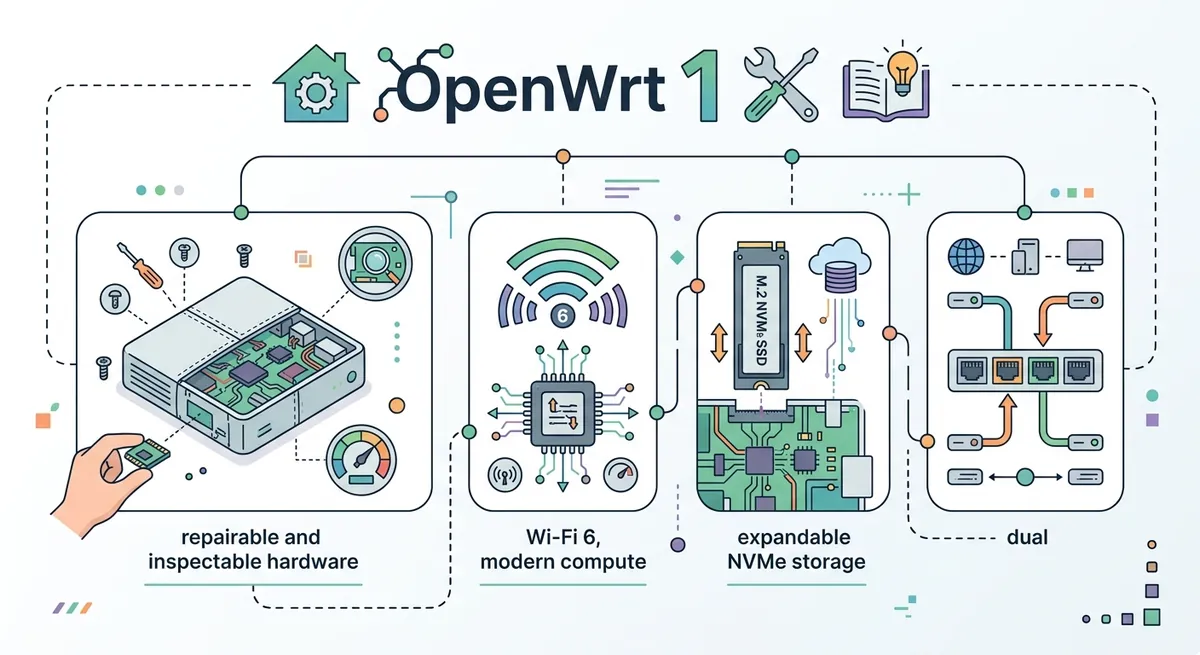
That’s why OpenWrt One matters. It’s an open hardware router designed to run OpenWrt, the Linux-based firmware that powers a lot of customizable routing gear. And unlike most boards that feel like sealed appliances, OpenWrt One is built around the idea that you should be able to inspect, recover, and modify the device over time. (techspot.com)
What OpenWrt One is (in plain language)
An OpenWrt One device is a small router computer: it routes network traffic between your home network and the internet, and it also runs Wi‑Fi.
To ground the terminology:
- A SoC (System-on-Chip) is a single chip that bundles multiple functions together—CPU, memory interfaces, and often networking hardware.
- Wi‑Fi 6 is the generation of Wi‑Fi aimed at better efficiency and performance, especially when many devices share the same wireless network.
- WAN (Wide Area Network) is the “internet side” of your router.
- LAN (Local Area Network) is your “home side” network.
OpenWrt One uses a MediaTek Filogic 820 platform and pairs it with dual-band Wi‑Fi 6 hardware, giving it a mix of wired Ethernet ports plus modern wireless. (docs.banana-pi.org)
The hardware story: strong specs, but also strong intent
At first glance, the spec sheet looks like a capable router: 1 GB of DDR4 RAM, 256 MiB of SPI NAND for the main system, and a smaller 16 MiB SPI NOR region designed for recovery/backup behavior. (openwrt.org)
One subtle but important detail: some early reporting listed smaller flash numbers, but the board documentation describes the larger NAND/NOR split above (which may reflect revisions). The big takeaway stays consistent: dual storage is the point, not the exact byte count. (techspot.com)
CPU and performance: why RAM matters
OpenWrt is a full-featured Linux distribution for embedded devices, which means it can run real services: firewall rules, VPNs, monitoring, DNS filtering, and more. To do that without feeling sluggish, the router needs memory.
OpenWrt One includes a dual-core Cortex-A53 setup at about 1.3 GHz plus 1 GB DDR4 RAM. In practical terms, that gives enough headroom for packet processing and for running networking features without constantly swapping or hitting memory ceilings. (docs.banana-pi.org)
The “unbrickable” idea: NOR vs NAND
This is the part that turns OpenWrt One from “just another router” into a repair-minded platform.
Routers boot by running a boot chain from flash storage. OpenWrt One uses two flash regions:
- NAND: the main writable storage where the normal system lives.
- NOR: a protected area intended to help recover when something goes wrong.
The OpenWrt One documentation describes a boot select switch to choose between NAND (regular boot) and NOR (recovery boot). (one.openwrt.org)
Then it layers in recovery procedures:
- With NAND boot selected, you can use the device’s buttons and USB media to update/reflash.
- With NOR boot selected, holding the correct front-side button lets the device boot a recovery initramfs and, in the “full recovery” case, factory reflash the NAND flash again. (one.openwrt.org)
So what happens when a beginner makes a bad flash attempt? That’s the real question, and OpenWrt One is designed to treat “mistakes” as part of the learning loop rather than as permanent damage. (techspot.com)
Storage you can expand: M.2 NVMe + USB
Main flash is fine for the base system, but real-world setups often want extra space for logs, package installs, or services.
OpenWrt One includes an M.2 slot (Key‑M) for NVMe SSDs. The hardware how-to document specifies support for 2240 or 2232 length SSDs, and it notes that the SSD is detected on the next boot. (one.openwrt.org)
There’s also USB 2.0 Type‑A for adding peripherals. For serial access, OpenWrt One exposes a USB-C serial console port, and the documentation notes the serial-to-USB adapter is integrated. (one.openwrt.org)
Debugging from day one: serial console, JTAG, and watchdogs
A router becomes truly “hacker-friendly” when it offers multiple ways to observe what’s happening.
OpenWrt One provides:
- Serial console via the USB-C port (with the adapter integrated).
- A JTAG connector exposed via a 2×5 pin header (for low-level debugging).
- An onboard watchdog concept (a safety mechanism that can recover from hangs).
- An RTC (Real Time Clock) with backup battery support.
The RTC matters more than many people expect: network services and logs rely on timestamps, and an RTC helps the device keep time across power cycles when correctly configured. The documentation specifies a CR1220 coin-cell battery for RTC backup. (one.openwrt.org)
Power and ports: not just specs, but flexibility
Power input support is another “repairability” lever: the easier it is to power the router in different setups, the easier it is to troubleshoot.
OpenWrt One supports power via USB‑C, and the board documentation also notes support for 15V USB‑PD. It further describes optional 802.3at/af PoE support using an add-on module, which is useful in wall-mounted or rack-like environments where running only an Ethernet cable is convenient. (one.openwrt.org)
When did it ship? The timeline context
OpenWrt One moved from concept to real availability in late 2024. One report posted on Nov 29, 2024 notes that the production version could be purchased at that point and included a full OpenWrt system with LuCI. (lwn.net)
That matters because OpenWrt One isn’t merely a prototype reference board—by the time you’re reading this, it’s positioned as a supported hardware platform for learning and customizing OpenWrt. (lwn.net)
Learning OpenWrt on OpenWrt One: a practical mindset
A lot of beginners try OpenWrt by fearfully changing settings and hoping the router won’t break. OpenWrt One shifts that mindset toward experimentation.
Here’s the beginner-friendly way to approach it conceptually:
- Treat the router like a computer: learn what’s “system” vs “configuration.”
- Assume testing will happen: use the serial console and recovery paths when needed.
- Move non-essential storage to NVMe once basic routing works, so the router has room to grow.
If you’re wondering, “What commands would I run first?”—think in terms of what any embedded Linux system supports: check interfaces, verify IP addressing, update packages, and confirm that the Wi‑Fi radios and Ethernet ports negotiate link rates. OpenWrt’s ecosystem is built for that workflow, and the device’s hardware choices (RAM, dual storage, serial console) support it. (one.openwrt.org)
The resolution: why OpenWrt One feels different
By the end of the discovery process, OpenWrt One feels less like a purchase and more like a platform.
The combination of modern Wi‑Fi 6, capable embedded compute, dual storage for recovery, and multiple debugging interfaces turns “firmware tinkering” into something that’s survivable and repeatable. That’s the heart of an open hardware router: not only openness of software, but openness of systems engineering decisions—so a failure doesn’t mean starting over. (one.openwrt.org)
Conclusion
OpenWrt One is an open hardware router designed around real-world tinkering: a MediaTek Filogic 820-based platform with Wi‑Fi 6, Ethernet, and expandability via M.2 NVMe. Its standout feature is the repair-oriented approach—using dual flash regions with clear boot selection and recovery procedures—so learning OpenWrt doesn’t have to mean permanent risk. For beginners, that design transforms “embedded Linux anxiety” into a guided exploration of how routing, Wi‑Fi, and system recovery actually work in practice. (one.openwrt.org)
Comments (0)
No comments yet. Be the first to respond!
Leave a Comment
Your comment will be visible after review.