The Walking-Sized Wikipedia: How Local Discovery Works
 by ahsan
October 23, 2026
6 min read
by ahsan
October 23, 2026
6 min read
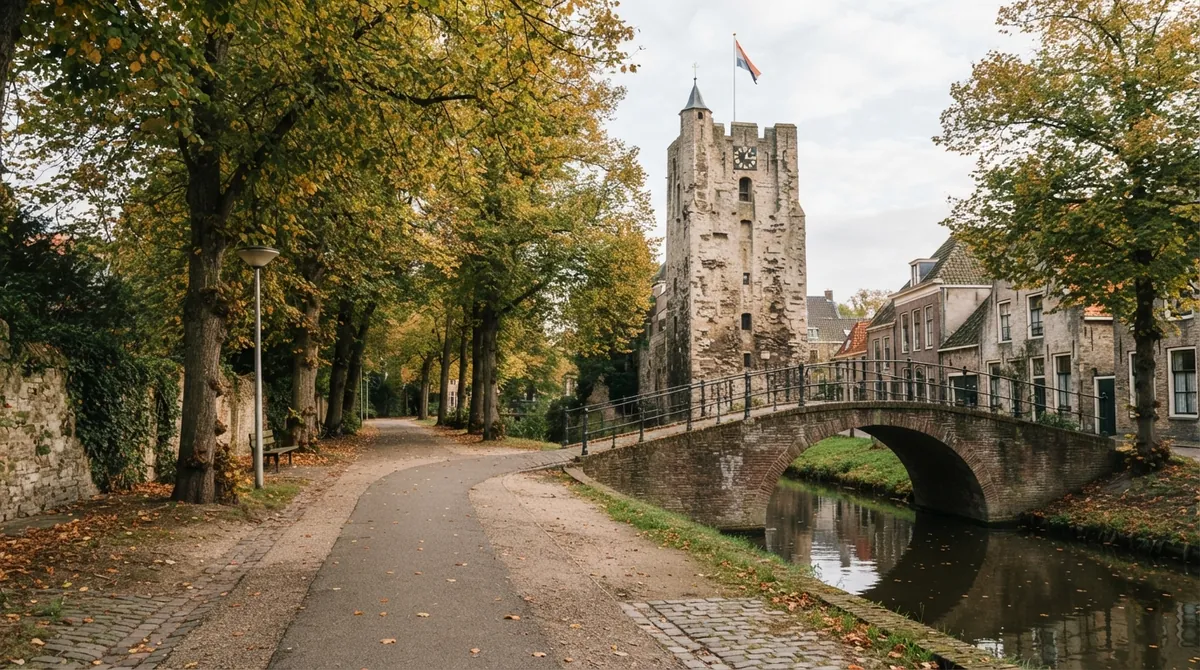
Picture the first ten minutes of a walk through a familiar neighborhood. You pass an old station, a carved stone, a stretch of canal, or a building you have seen hundreds of times. You know where you are, but not what happened there. Local Wikipedia turns that ordinary walk into a small research expedition by showing Wikipedia pages connected to places near you.
The idea sounds like a new local encyclopedia, but the clever part is more focused than that. Local Wikipedia does not rewrite Wikipedia or create a separate collection of articles. It narrows a huge global reference work into a nearby slice, using geography as the search box.
A map pin before a search result
How does Local Wikipedia decide what belongs near you? It begins by turning a human place into a coordinate pair: latitude and longitude. A Wikipedia page is geocoded when it has that kind of location attached to it, allowing software to treat the page as something that exists somewhere on a map.
When you type a town, landmark, or postcode, the site needs to translate that wording into coordinates. That is the job of a geocoder, a service that converts place names into map positions. Local Wikipedia uses Photon, an open-source geocoder built around OpenStreetMap data. Photon can search for places, perform reverse geocoding, and return results in GeoJSON, a standard format for representing geographic features in web applications. (github.com)
A simplified version of that first step might look like this:
const result = await photon.search(placeName);
const [longitude, latitude] = result.features[0].geometry.coordinates;
The order matters here. Geographic data commonly stores a point as longitude followed by latitude, while many user interfaces display latitude first. That tiny mismatch has caused plenty of mysterious map bugs.
Your browser can be the starting point
Typing a place is optional. The Use my location button can ask the browser for the device’s current position through the Geolocation API, a browser feature that exposes location information to a webpage after the user grants permission. Modern browsers restrict this feature to secure contexts, usually pages delivered over HTTPS, and they display a permission prompt when a site requests access. (developer.mozilla.org)
The code behind that part can be surprisingly small:
navigator.geolocation.getCurrentPosition(({ coords }) => {
 loadNearbyPages({
 latitude: coords.latitude,
 longitude: coords.longitude
 });
});
The callback runs after the browser obtains a position. The application can then use those coordinates as the center of its local search. There is no need to place the location in a shareable link, which is why two people can open the same page without automatically seeing the original user’s position.
Wikipedia already knows how to search nearby
The second half of the trick comes from MediaWiki, the software that powers Wikipedia. Its GeoData extension provides a geosearch API, which is an application programming interface: a structured way for one program to request data from another. A geosearch request supplies a center point, a radius, and a result limit, then returns Wikipedia pages with coordinates near that point.
The official documentation allows a normal search radius of up to 10,000 meters and a maximum of 500 results for a request. Results include page titles, coordinates, and distance from the search point. (mediawiki.org)
Conceptually, the request looks like this:
const pages = await wikipedia.geosearch({
 latitude,
 longitude,
 radiusMeters: 10_000,
 limit: 500
});
That call does not return a walking itinerary or a carefully edited neighborhood guide. It returns a geographic index of encyclopedia pages. The Local Wikipedia interface supplies the human-friendly layer by arranging those results into something that feels like a list of places to investigate.
Why half an hour is an approximation
“Half an hour walk” is a useful promise because people understand it immediately. Technically, though, nearby search and walking distance are different things. A geographic radius measures proximity from a point; it does not know whether a river, railway line, private road, steep hill, or missing footpath stands between you and the destination.
That makes the phrase a welcoming approximation rather than a navigation guarantee. The project also describes a fallback for sparse areas: when fewer than 25 nearby pages are available, it expands the search to the closest 25 within roughly six miles. In dense places, it limits the list to the closest 500. Those rules keep a small town from feeling empty while preventing a busy city from producing an unreadable wall of results.
The result is best understood as Wikipedia nearby, not Wikipedia directions. It answers, “What has an article around here?” rather than, “What is the fastest route there?”
A privacy promise needs careful wording
Keeping a location out of a shared URL is a meaningful design choice. It prevents someone from copying a link and accidentally publishing the exact place where the original visitor stood. But location privacy is not binary. In any browser-based location-aware search, coordinates may still travel to remote services when the page asks a geocoder or encyclopedia API for results.
A thoughtful implementation therefore separates several decisions: request location only after a clear action, avoid storing it longer than needed, keep it out of links and analytics where possible, and explain which external services receive a lookup. The browser permission prompt helps, but good privacy design continues after the user clicks Allow.
The whole architecture is compact
A local encyclopedia can be built from a small chain of components:
- Obtain coordinates from a typed place or the browser.
- Use a geocoder to resolve human language into latitude and longitude.
- Query Wikipedia’s geosearch endpoint with a radius and result limit.
- Sort and display the returned pages as nearby discoveries.
That simplicity is part of the charm. There is no need for a giant private database of local history when open services already contain the raw ingredients. The application acts as a lens, changing the question from “What should I search for?” to “What knowledge is already attached to this place?”
What the map cannot see
The system also inherits the blind spots of its sources. A nearby building may have no Wikipedia page. A page may have no usable coordinates. A single coordinate can represent a broad site rather than the precise entrance a walker would use. Famous monuments and major transport hubs are more likely to appear than the unremarkable places that residents know best.
Those gaps are not evidence that a neighborhood lacks history. They show the difference between a mapped encyclopedia and lived experience. Local Wikipedia can point toward a story, but it cannot replace the memories, archives, plaques, and conversations that never made it into an article.
Respecting the open map
OpenStreetMap data is released under the Open Database License, commonly abbreviated ODbL. The license allows reuse while requiring appropriate attribution, and OpenStreetMap’s guidance asks applications to make the source clear to users. For a tool built from open geographic data, attribution is not decorative footer text; it is part of the interface’s contract with the people who created and maintain that data. (openstreetmap.org)
Local Wikipedia works because several modest technologies meet at the right moment: a browser can provide a coordinate, a geocoder can understand a place name, and Wikipedia can return pages arranged around that point. The magic is not a new encyclopedia. It is the decision to make a global body of knowledge feel close enough to reach on foot.
Comments (0)
No comments yet. Be the first to respond!
Leave a Comment
Your comment will be visible after review.