What I Self-Host on a Small Home Server
 by ahsan
October 16, 2026
6 min read
by ahsan
October 16, 2026
6 min read
The server started with a movie night
At some point, choosing a movie became harder than watching one. Every streaming app filled the screen with recommendations, autoplay prompts, and another row of thumbnails. For a family trying to keep a child’s viewing choices deliberate, that convenience turned into a daily argument.
The escape route was not another subscription. It was a Jellyfin server holding a carefully chosen media library. That first project changed how I thought about self-hosting: running software and storing its data on hardware I control, rather than handing every task to a separate cloud provider.
Self-hosting is not about refusing every online service. It is about deciding which parts of your digital life deserve a quiet room in your house.
Private by default
My first rule is that ordinary services do not face the public internet. A VPN, or virtual private network, gives me an encrypted tunnel back home when I am away. Once connected, my phone or laptop behaves as though it were on the home network, while Jellyfin, Audiobookshelf, and the other applications remain private.
My internet connection uses carrier-grade network address translation, usually shortened to CGNAT. In plain language, the internet provider shares one public IPv4 address among several customers, which makes incoming connections awkward. My VPN is reachable over IPv6, but that creates a practical annoyance: many public Wi-Fi networks still do not provide IPv6. In those places, remote access may have to wait until I switch to cellular data.
That inconvenience is acceptable. A service being secure does not automatically make exposing it worthwhile. Fewer open doors mean fewer doors that need watching.
Hardware that disappears into the background
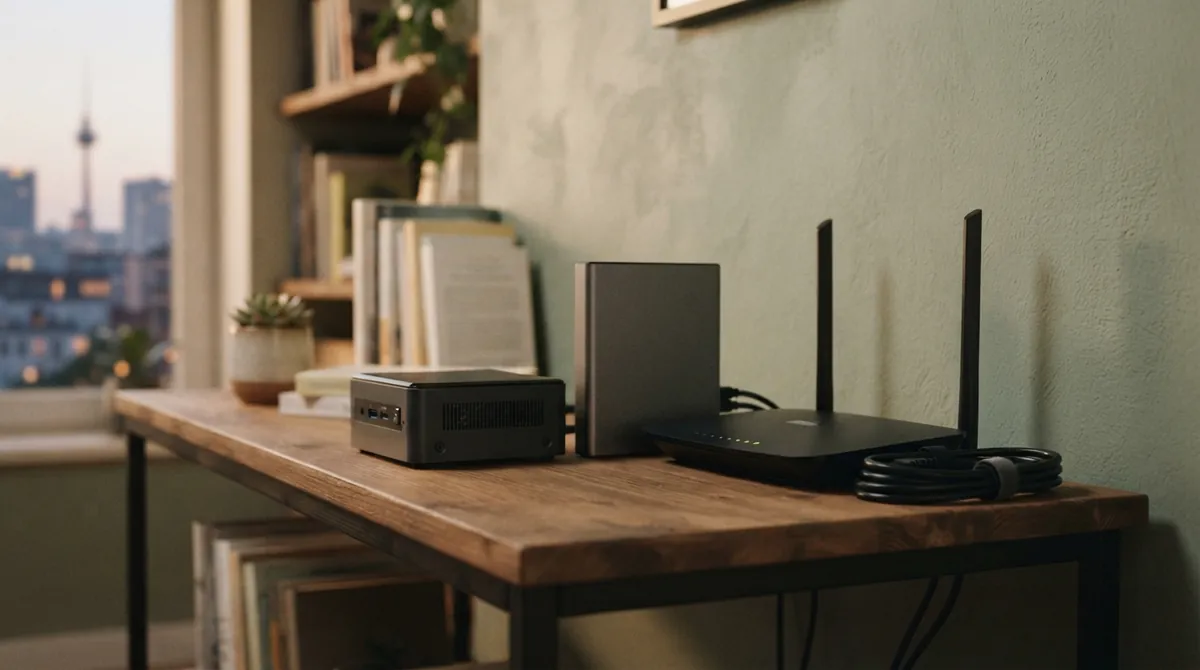
The main server is a small Beelink mini PC with an Intel N100 processor, 16 GB of memory, and a 512 GB solid-state drive. A 6 TB hard drive stores media and larger files. It is not an impressive machine, and that is part of the appeal. It sits on a shelf, uses little power, and does not make the room feel like a server closet.
The N100 has four processor cores and integrated Intel Quick Sync video hardware. That matters for Jellyfin because supported transcoding workloads can use the graphics hardware instead of making the processor do every frame by hand. Transcoding means converting a video while it plays so that a phone, television, or browser can handle it.
The question many beginners type into a search box is: how much hardware does a home server need? For ordinary services, much less than expected. This box runs media streaming, photo management, budgeting, source control, monitoring, and backups without becoming a local artificial-intelligence workstation. The hard drive capacity and backup plan matter more than buying a huge processor.
Native first, containers when they help
I prefer native software: an application installed directly into the operating system as a normal service. A small Go binary with one configuration file is a joy to maintain. Logs live where I expect, commands work in the regular shell, and systemd—the service manager used by most modern Linux distributions—starts and stops everything consistently.
Containers still have a place. A container packages an application and much of its software environment into an isolated process. That is useful for complicated applications with many dependencies, especially when installing those dependencies directly would turn the server into a puzzle.
I use Podman for those cases rather than Docker. This is less a philosophical objection than a maintenance preference. Podman’s Quadlet system lets me describe containers in files that systemd can manage, so I do not have to maintain a second control panel in my head. The goal is not to avoid containers. The goal is to avoid making every application feel like a different kind of appliance.
Caddy is the front desk
As the number of services grew, remembering ports became tiresome. Caddy, a web server and reverse proxy, now sits in front of most applications. A reverse proxy is a receptionist: it receives a request for a hostname, then passes that request to the correct application running behind it.
Instead of remembering that one service lives on port 8096 and another on port 8080, I use names such as media.example.net and photos.example.net. A small Caddy configuration can look like this:
media.example.net {
 reverse_proxy 127.0.0.1:8096
}
For a real domain that Caddy can validate, it can also manage HTTPS certificates and renewals. Services that are strictly internal need a different certificate arrangement, but the basic idea remains the same: one predictable front door, many private rooms behind it.
What actually runs
Media for the household
Jellyfin is the centerpiece. It serves films, television, and personal video from the local library without an engagement feed competing for attention. Automatic Ripping Machine handles DVDs I own, turning a disc into files that can be indexed and played from anywhere on the home network. It also makes bilingual content practical when the right streaming version is unavailable.
Audiobookshelf handles audiobooks and podcasts. Its chapter navigation is especially helpful for children’s books, and the phone app makes the collection feel like a normal listening service while keeping the files at home.
Photos and money
Immich stores family photos and videos. This is one of the services that makes backups feel real rather than theoretical. The library files matter, but so does the database containing albums, descriptions, and other information that tells the application how those files belong together.
Actual Budget handles everyday spending and account tracking. It follows a local-first model, meaning the important budget data lives with the user rather than existing only on a company’s server. I import bank statements manually instead of granting an automated connector access to every account. That adds a small monthly task and removes a category of credentials I would otherwise have to protect.
Backups, monitoring, and code
Restic is the backup engine, with Backrest providing a friendlier web interface. Restic can encrypt backup data and avoid storing identical chunks repeatedly; that process is called deduplication. I keep more than one copy and aim for the familiar 3-2-1 pattern: three copies of important data, on two kinds of storage, with one copy somewhere else.
Gotify sends failure notifications. Beszel watches CPU, memory, storage, temperatures, and other basic health signals across the house. Cockpit gives me a quick view of failed Linux services when an alert has not been configured yet.
For software projects, Forgejo is my private Git remote. It is fast over the local network, keeps repositories close at hand, and does not require a trip to an external service every time I want to push a small change.
What stays in the cloud
I do not self-host everything. Email needs reliable delivery, constant reputation management, and protection against abuse. Investment tracking is another job I still leave to a hosted service. A public website may belong on a provider with multiple data centers rather than behind a residential connection.
Self-hosting is not a contest to replace every cloud application. The sensible boundary is the one that gives back more control than it demands in maintenance.
That maintenance never disappears. I read release notes, patch the operating system, review disk space, rotate credentials, and occasionally test a restore. A backup that has never been restored is a hopeful copy, not a proven plan.
The reward is a server that fades into routine. The family sees a calm media library, the photos remain available, and my projects have a nearby home. Behind those quiet conveniences is a small machine, a handful of well-chosen services, and a boundary I chose deliberately.
Comments (0)
No comments yet. Be the first to respond!
Leave a Comment
Your comment will be visible after review.