What It Takes to Keep the Internet Archive Online
 by ahsan
September 07, 2026
5 min read
by ahsan
September 07, 2026
5 min read
What It Takes to Keep the Internet Archive Online
The page arrives in your browser almost weightlessly. You click an old link in the Wayback Machine, a web archive that saves snapshots of websites over time, and a forgotten page appears from years ago. It feels like a search result. Behind it sits a physical system of servers, storage, electricity, cooling, network connections, and people watching for failures.
What does it take to keep a digital library online? The Internet Archive offers a useful case study because its collection is large enough to make the hidden work visible. Its current Vault documentation says the organization stewards more than 99 petabytes of unique data. A petabyte is about one million gigabytes, and multiple preserved copies bring the total amount of storage under management into the hundreds of petabytes. More than one million people visit archive.org each day, so this is not a quiet warehouse of forgotten files. It is a working library with a very busy back room. (vault-webservices.zendesk.com)
A digital library is a pipeline, not a pile of files
It helps to picture a digital collection as a moving pipeline rather than a stack of files sitting on one enormous computer. A scanned book, audio recording, video, or web capture passes through several stages before it reaches a reader.
scanner or crawler
 ↓
ingest and metadata checks
 ↓
storage copies and indexes
 ↓
search, replay, download, or streaming
Ingest is the process of accepting new material into the archive. During that process, the system records metadata, meaning descriptive information such as a title, date, creator, file format, and collection. An index acts like a searchable map, helping the website locate the right item without examining every stored file one by one.
Each stage has a different job. Storage protects the file itself. Metadata gives it context. The index makes it findable. Access software turns the stored bytes into a page, book viewer, audio player, or download that people can use.
One copy is not preservation
Hard drives fail. Network equipment fails. Buildings lose power. A software update can introduce an unexpected problem. Redundancy is the practice of keeping more than one copy so that one failure does not become a permanent loss. Geographic redundancy goes a step further by placing copies in separate physical locations, reducing the chance that one fire, flood, outage, or regional disruption affects every copy at once.
For its Vault preservation service, Internet Archive documentation describes multiple copies stored across at least two physical locations, with additional replicas available for collections that need them. The organization also periodically moves data onto newer physical media because disks and other storage hardware have limited working lives. (vault-webservices.zendesk.com)
This changes the meaning of a storage estimate. A collection containing one terabyte of files may require considerably more than one terabyte of raw capacity once replicas, spare space, metadata, and repair operations are included. More copies improve resilience, but they also require more drives, more electricity, more cooling, and more network traffic during synchronization.
How do you know a file survived intact?
Digital preservation has a second problem beyond keeping copies: making sure the copies have not quietly changed. A checksum is a short value calculated from a file’s contents. It works like a digital fingerprint. If even a small part of the file changes, a newly calculated checksum will usually differ from the original.
A preservation system can use that comparison during a fixity audit. Fixity means confidence that a digital object remains unchanged. The basic pattern looks like this:
file when received → checksum A
stored copy months later → checksum B

A matches B → the copy is consistent
A differs from B → investigate and repair
When a mismatch appears, the system can remove the damaged replica and replace it with a verified copy from elsewhere. Internet Archive’s Vault documentation describes checksum generation, recurring fixity audits, and repair procedures for detecting and correcting corrupted replicas. (vault-webservices.zendesk.com)
A checksum cannot solve every preservation problem. It can tell us that the bits changed, or that they did not. It cannot guarantee that an old file format will still open in twenty years, or that the software needed to interpret it will remain available. Long-term preservation also involves metadata, format knowledge, migration plans, and sometimes emulation, which means recreating an older computing environment in software.
The hidden infrastructure is physical
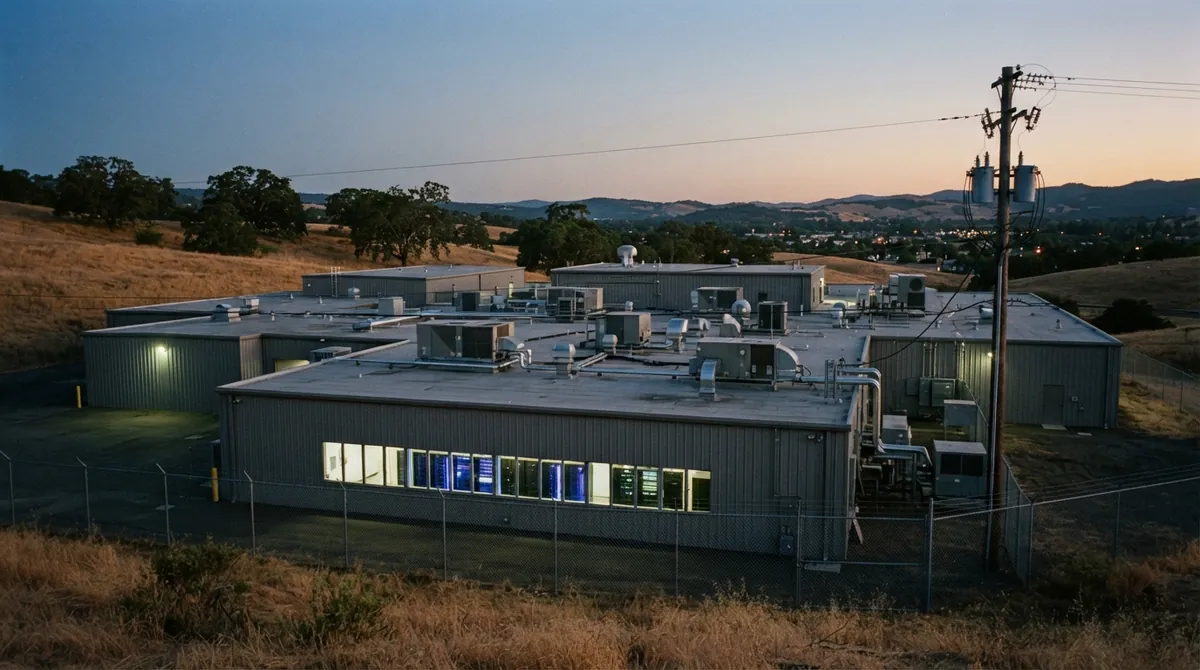
A server is a computer configured to answer requests from other computers. A data center is the building that houses many of those computers, along with power systems, network equipment, fire protection, security controls, and cooling. A digital library depends on all of them, even though readers see only a clean webpage.
Storage devices draw electricity and produce heat. Network links need enough bandwidth, meaning enough capacity to move data over time, for people to browse, download, and stream content while new material arrives. Monitoring systems watch temperatures, disk health, failed jobs, and unusual traffic. When an alert appears, an engineer or operations technician must investigate it, replace hardware, repair a service, or restore data.
Internet Archive says it owns and operates its own data centers and also runs infrastructure alongside equipment in data centers operated by mission-aligned partners. Its preservation documentation describes controlled-access, fire-protected facilities, hardware monitoring, on-call maintenance, and ongoing media migration. That approach can reduce dependence on commercial infrastructure, but it also means the organization carries responsibility for the physical machinery behind the public library.
Why recurring support matters
A free digital library is free to the reader, not free to operate. The expenses repeat month after month:
- failed drives and replacement hardware
- electricity, cooling, and network capacity
- additional storage as new collections arrive
- monitoring, maintenance, and incident response
- librarians, archivists, engineers, and people who document the collection
That is why recurring support fits the technical reality of preservation. A monthly contribution does not only help acquire new material. It helps keep existing books readable, old websites reachable, and previously preserved files available when someone needs them years from now.
The least visible work is often the work that protects the collection best. Replacing a failing disk is not a dramatic new feature. Testing a repair job may never be noticed by visitors. Yet those tasks are what keep a digital archive from turning into a locked room full of unreliable bits.
The small formula behind a public archive
public access = preserved bytes
 + verified copies
 + working software and indexes
 + power, cooling, and bandwidth
 + people who notice failures
Remove any one of those pieces and access becomes fragile. The next time an old page loads from the Wayback Machine, it is worth seeing the whole chain behind that moment: a file captured long ago, stored in several places, checked for damage, located by an index, delivered across a network, and supported by infrastructure that keeps running when nobody is looking.
For a digital library, maintenance is not separate from preservation. Maintenance is how preservation happens.
Comments (0)
No comments yet. Be the first to respond!
Leave a Comment
Your comment will be visible after review.