How to Decode an “Obfuscated Bash Script” T‑Shirt Easter Egg
 by ahsan
July 08, 2026
6 min read
by ahsan
July 08, 2026
6 min read
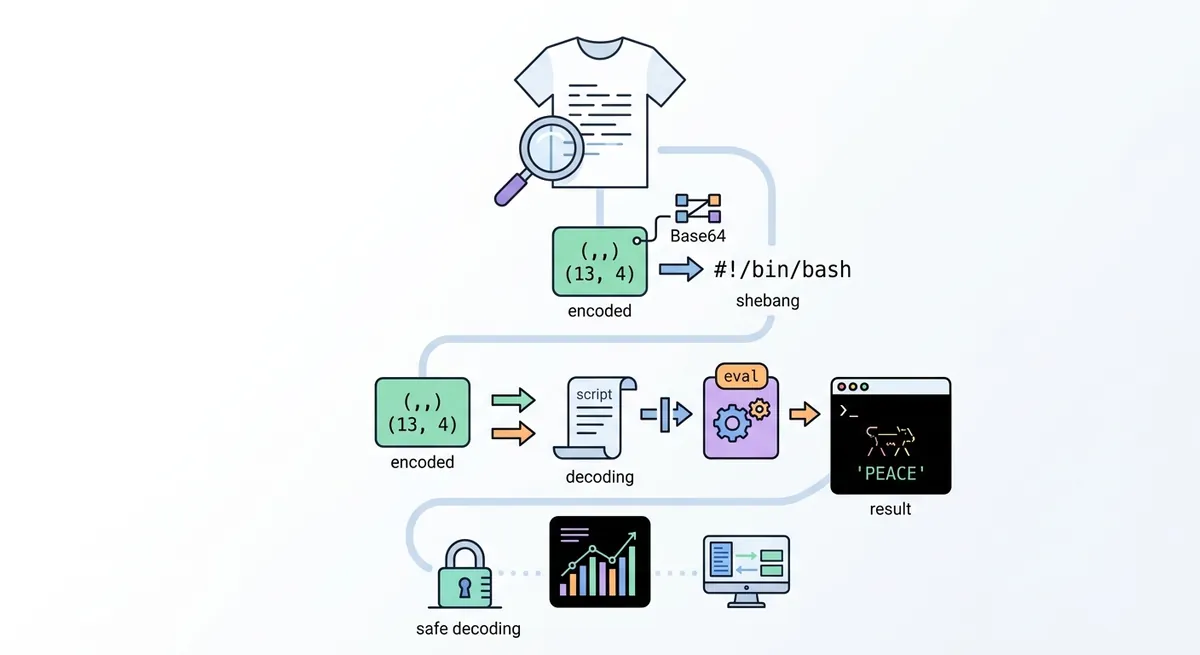
A t-shirt that looks like code—until you read it
Imagine walking into a store, seeing a bold alphanumeric block on the back of a T‑shirt, and thinking: Is this just design… or did someone hide a message in plain sight? That exact moment happened here—except the “design” turned out to be an obfuscated bash script disguised as graphics.
The cool part is that this wasn’t malware. It was an Easter egg: a Base64-encoded shell program that animates the campaign message in your terminal. The tricky part is that the encoding is wired through classic “looks-scary” shell patterns like a shebang and eval, which makes beginners understandably cautious.
So how do we decode something like this safely, and then understand what the decoded script actually does? Let’s walk through it step by step—like turning a ransom-note-looking poster back into a readable letter.
First: the symbols that sound dangerous (and why they show up)
When people say “Is that a shebang?,” they’re pointing at the first line of many scripts: #!/bin/bash. That line is the shebang—a convention where the operating system uses the path after #! to decide which interpreter to run (here, Bash).
Next comes the phrase “Base64 encoded here string being fed to eval.” Those terms matter:
- Base64 is an encoding that turns binary/text into a safe ASCII string using only common characters. It’s meant for transporting data, not for security.
- An here string (a shell feature) is a way to give a command multi-character input inline in the shell script, instead of reading from a file.
evalis a Bash builtin that takes text and asks Bash to interpret it as code. That’s the part that can be risky: if an attacker controls the text,evalcan execute unintended commands.
This combination—base64 --decode plus eval—is the classic “it looks like a virus” pattern. The good news is that we don’t need to execute anything to analyze it. Decoding first keeps you in control.
Safe decoding: turn the “shirt text” into an actual script
The key move is: Base64 decoding before execution.
A safe workflow is:
- Extract the Base64 text from the T‑shirt (OCR can help, but accuracy matters because Base64 has no built-in error correction).
- Decode it into a file.
- Read it like code, not as something to run.
Here’s the general idea using a placeholder string:
# 1) Store the Base64 from the shirt into a file
cat > payload.b64 <<'EOF'
PASTE_BASE64_HERE
EOF

# 2) Decode into a script file (no eval, no execution)
base64 --decode payload.b64 > shirt_script.sh

# 3) Inspect
less shirt_script.sh
This approach works because Base64 decoding is deterministic: either you get syntactically valid shell code, or you know the OCR/extraction was flawed.
A useful mindset here is: treat the decoded output like untrusted input. Even if you now believe it’s “probably harmless,” inspection comes before running.
What the decoded bash script is doing
Once decoded, the script typically becomes readable Bash with comments explaining the Easter egg. In this case, it’s an infinite terminal animation.
Let’s translate the moving parts into beginner-friendly terms.
Terminal control: tput, cursor hiding, and cursor restore
The script uses tput, which is a command that talks to your terminal’s settings (via terminfo/termcap) and asks it for capabilities like width and height.
tput colsoutputs the number of columns (terminal width).tput linesoutputs the number of lines (terminal height).
Then it hides the cursor using tput civis. The name reads like “cursor invisible”: the terminal stops showing the blinking caret.
Hiding the cursor is a common trick in terminal UI/animation scripts, but it becomes annoying (or worse) if your script crashes and never restores the cursor.
trap and SIGINT: what happens when you press Ctrl+C
This script also sets a trap for SIGINT.
- SIGINT is the signal your terminal sends when you press Ctrl+C.
- A trap is a Bash feature that runs a cleanup command when certain signals happen.
That cleanup often restores the cursor (tput cnorm, “cursor normal”) and exits. This is one of those “details that separate demos from broken demos”: without trap, the terminal can feel “haunted” after the animation stops.
(That exact cursor-restore pattern is widely used in terminal animation examples.) (stackoverflow.com)
ANSI escape sequences: how characters get colored and placed
Now for the visuals. The script outputs colored text using ANSI escape sequences—special control codes that instruct the terminal to move the cursor and change colors.
Two important ideas show up:
- Cursor positioning: the script uses
tput cup ROW COLto move the next printed character to a specific location. - Color: it emits something like
\033[38;5;${color}m.
In plain language: \033 starts an escape sequence, 38;5;N selects a color from the terminal’s 256-color palette, and m ends the color command.
Then it prints a character at the chosen cursor position, resets color back to default, and repeats forever.
The animation “engine”: sine waves and looping
The heart of the effect is a loop that runs indefinitely:
- It keeps a time variable
tthat increments on every iteration. - It chooses one character at a time from a long string (a scrolling message).
- It computes an angle based on
t. - It computes
sin(angle)to get a smooth oscillating value. - It maps that oscillation into an
xcoordinate across the terminal width.
This is why it looks like a sine wave: sine functions create naturally smooth curves. The script essentially turns math into motion by treating x = center + amplitude * sin(...).
It also computes a color gradient over time by changing a palette index so the text cycles between ranges (for example, from cyan-ish numbers to orange-ish numbers). The result is a message that doesn’t just print—it breathes.
There’s also a small safety check to keep the calculated x inside terminal bounds. When you’re doing cursor positioning, out-of-range coordinates can create weird wrapping behavior.
So… was it malware?
Not in the decoded form described here. It doesn’t attempt network access, file writes, or privilege changes. It’s an Easter egg: terminal animation plus a clean cursor restore.
But the takeaway is broader than one specific shirt:
- Obfuscation often exists to hide intent—not necessarily to provide security.
evalis a red flag because it can execute arbitrary code if you feed it untrusted text.- The safest way to analyze this category of scripts is decoding and inspecting first.
In other words: the scariest-looking part was part of the packaging, not the payload.
Verified context: UNIQLO × Akamai “PEACE FOR ALL”
This Easter egg design aligns with the UNIQLO “PEACE FOR ALL” charity T‑shirt collaboration with Akamai announced via Akamai’s press release materials. (ir.akamai.com)
Conclusion
An “obfuscated bash script” on a T‑shirt can look like a cyber threat at first glance, but Base64 decoding turns the mystery back into readable Bash. Once decoded, the script becomes a classic terminal-animation recipe: tput for screen dimensions, trap for cleanup on Ctrl+C via SIGINT, ANSI escape sequences for color and positioning, and a sine-wave loop that animates a peace message.
The real lesson isn’t the Easter egg itself—it’s the method. Decode first, inspect second, and only then decide what (if anything) to run.
Comments (0)
No comments yet. Be the first to respond!
Leave a Comment
Your comment will be visible after review.