How to Run SOTA LLMs Locally: GPUs, PCIe, and Practical Setup
 by ahsan
July 03, 2026
7 min read
by ahsan
July 03, 2026
7 min read
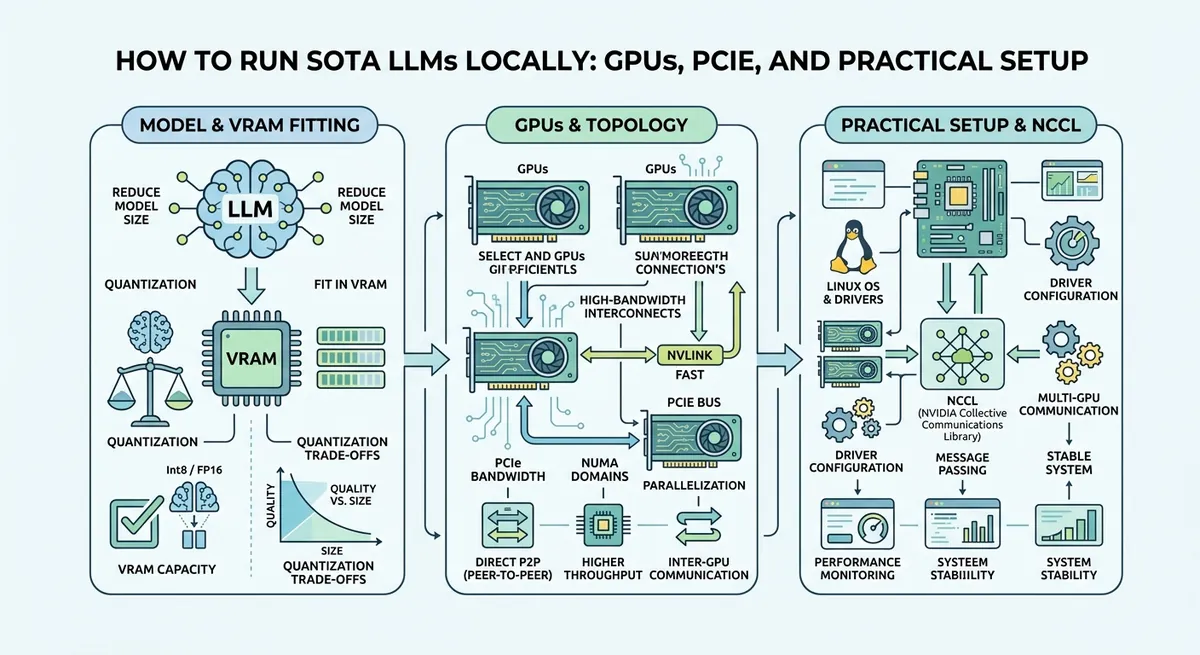
The day your “local AI” dream turns into a hardware problem
You’ve probably had the same moment we’ve all had: you look at a state-of-the-art (SOTA) large language model (LLM) and think, “How hard can it be to run that on my own machine?” Then reality shows up in the form of “out of memory,” painfully slow generation, or crashes during multi-GPU startup.
Local LLMs are less like downloading a program and more like building a small compute cluster—often with very specific hardware expectations. The most interesting part is that the bottlenecks aren’t only about raw model size. GPU-to-GPU communication, PCIe (a high-speed expansion bus) topology, power, and even BIOS settings can decide whether your rig runs smoothly or stalls.
This post walks through the practical architecture behind running SOTA LLMs locally—especially multi-GPU setups—using clear mental models and concrete steps.
What “running an LLM locally” actually means
An LLM is a neural network that predicts the next token (a token is a chunk of text; for example, “hello” might be split into smaller parts). “Running locally” means:
- You load the model weights (the learned parameters) into GPU memory (VRAM).
- You stream inputs and outputs between your CPU (general-purpose processor) and GPUs.
- You run inference (producing answers) using an inference engine (software designed to serve models efficiently).
Most beginners hit a hard wall at VRAM: a 27B parameter model can be feasible on a few GPUs depending on quantization (storing weights in fewer bits to reduce memory). But the second wall appears when you go beyond one GPU: the software needs the GPUs to cooperate, and that cooperation depends on hardware links.
Choosing the budget: VRAM is the headline, but not the whole story
A useful rule is that the biggest determinant is VRAM capacity and speed, because model weights and key-value caches (temporary memory used during generation) live there. But the cost story also changes with generation context length (how many tokens the model can consider at once).
A “~$2k” path: workable SOTA with fewer GPUs
With a couple of consumer or prosumer GPUs (for example, 2× RTX-class cards totaling ~48GB VRAM), you can run modern models such as Qwen-class 20B–30B ranges using quantization. This tends to be the sweet spot where “it fits” more often than it doesn’t.
You also get a smoother learning curve: single-GPU or two-GPU systems are easier to debug, and you can focus on inference tuning rather than hardware interconnect behavior.
A “~$40k” path: multi-GPU and near-flagship behavior
When you scale to four professional GPUs with huge VRAM totals (for instance, 4× RTX 6000 Pro-class totaling ~384GB VRAM), you can target much larger parameter ranges and longer context. That’s where you start getting responses that feel close to top cloud services.
But this is where hardware details stop being optional. Four GPUs can mean tensor parallelism (splitting a model across GPUs so they work together) and therefore heavy GPU-to-GPU communication.
The hidden villain in multi-GPU LLMs: GPU-to-GPU bandwidth and latency
Tensor parallelism divides computation so each GPU handles a slice of the work. During those steps, the GPUs need to exchange intermediate tensors. That exchange is collective communication (a group operation performed across devices).
Two key properties control performance:
- Bandwidth: how many gigabytes per second (GB/s) can move.
- Latency: how fast a message “turns around” (sub-microsecond to microsecond differences matter when operations repeat constantly).
If the GPUs route traffic inefficiently through the CPU’s PCIe root complex, you can end up with throughput that looks fine in isolation but collapses under the repeating collective patterns of LLM inference.
The PCIe switch idea: let GPUs talk through the fabric
A PCIe switch is a hardware component that multiplexes PCIe lanes so multiple endpoints (GPUs) can communicate “through” the switch. The important phrase is peer-to-peer (P2P): GPUs sending data directly to each other rather than detouring through host memory.
With a good switch topology, the allreduce step used in tensor parallelism can run closer to wire-speed between GPUs. That reduces latency and often increases sustained throughput.
In other words, this is the difference between:
- “Every conversation needs to go through the main desk” (root complex routing)
- “The interns can message each other straight across the hallway” (P2P via switch)
Practical build: enclosure, power, and airflow
When you scale to multiple GPUs, the physical build becomes part of the software stack.
You need:
- A GPU enclosure that supports spacing, airflow, and stable power delivery.
- Adequate cooling so GPUs don’t throttle (reduce clock speed when they get too hot).
- Power budgeting because running several high-power GPUs can overload residential circuits.
A common technique is power limiting: reducing GPU power draw (and therefore heat and electricity consumption) while trying to keep enough performance for the workload. Some workloads tolerate a bit less peak speed because inference often becomes memory- or communication-limited rather than purely compute-limited.
Getting the interconnect to behave: BIOS and kernel settings
Even with the right hardware, systems can fail in subtle ways. The failure mode is often “the GPUs exist” but the communication path isn’t what you think.
BIOS bifurcation: matching PCIe lane layout to your plan
PCIe bifurcation is a BIOS feature that splits a set of PCIe lanes into multiple independent links. In a rig with switches and multiple GPUs, lane allocation must be compatible with how the motherboard exposes the PCIe topology.
If lane splitting is wrong, devices might fall back to slower link widths or different routing paths.
Link speed and ASPM
- Link speed is the negotiated PCIe generation (e.g., Gen4 vs Gen3).
- ASPM (Active State Power Management) is a power-saving behavior that can change how quickly links wake up.
LLM workloads can repeatedly trigger communication patterns, and if power management adds wake latency or causes instability, you can see hangs or severe performance drops.
IOMMU and NCCL hangs
IOMMU (I/O Memory Management Unit) helps with memory protection for device DMA (direct memory access). In some multi-GPU scenarios, certain IOMMU configurations can cause hangs with distributed communication libraries.
A distributed communication library frequently used for multi-GPU inference is NCCL (NVIDIA Collective Communication Library). When NCCL can’t establish the right paths, it may hang during initialization or collective operations.
A practical workaround seen in the field is disabling IOMMU (for example, via a kernel parameter like iommu=off) when the system topology and security tradeoffs allow it. The main point isn’t which parameter; it’s that when multi-GPU communication fails, low-level system configuration can be the root cause.
ACS disable for switch-based P2P
ACS (Access Control Services) is a PCIe feature that can force traffic to be routed in a way that blocks or degrades P2P flows.
For switch-centric builds aiming for fast GPU peer communication, disabling ACS can preserve P2P behavior inside the switch fabric. This is one of those tricky areas where the concepts are simple (“P2P vs not P2P”), but the outcomes depend heavily on firmware and kernel behavior.
Benchmarking: proving you built the fast path
A major mistake is assuming that “because it’s connected,” it’s fast. Instead, you validate.
A useful measurement approach is to run a PCIe bandwidth/latency benchmark focused on P2P transfers and collect numbers like:
- sustained GB/s between GPU pairs
- average and worst-case latency
- whether transfers route peer-to-peer or through host
The exact tooling varies, but the reasoning stays the same: you want empirical proof that the switch fabric gives you the expected communication characteristics before running a giant model.
Serving the model: what matters once the hardware is stable
Once GPUs can communicate properly, software performance depends on the inference engine and its settings.
A typical serving configuration includes:
- a model runner (often containerized) that loads weights and manages batching
- tensor parallel configuration (how many GPUs share the model)
- context length settings
- streaming output options to keep latency tolerable
With very large models, batching is a major lever. Batching groups multiple requests (or multiple generation steps) to improve GPU utilization. But batching can increase perceived latency if you batch too aggressively.
That’s why local rigs often aim for a balance: enough batching to maximize throughput, but not so much that each individual prompt feels sluggish.
A concrete mental model for performance: bandwidth-heavy vs latency-sensitive phases
LLM inference alternates between operations that are:
- compute-heavy (matrix multiplications on GPU)
- memory-heavy (reading and writing large tensors and caches)
- communication-heavy (collectives between GPUs)
Multi-GPU tensor parallelism makes collective communication frequent. That’s why those PCIe topology decisions matter: they reduce the time spent waiting on GPU-to-GPU transfers.
This is also why you might see benchmarks that improve dramatically after interconnect tuning, even when the model and software haven’t changed.
Conclusion: the “SOTA locally” path is part computer science, part systems engineering
Running SOTA LLMs locally is achievable, but it behaves like a mini distributed system rather than a normal desktop app. VRAM decides whether the model fits; quantization and context length decide whether it fits comfortably. For multi-GPU setups, PCIe topology, P2P behavior, and low-level BIOS/kernel settings often determine whether performance feels great or breaks down into hangs.
The winning pattern is: build hardware with fast peer communication, tune interconnect behavior (PCIe switches, bifurcation, link settings, power management), verify with targeted benchmarks, and then configure your inference runner for the right balance of throughput and latency. When all those pieces align, local “SOTA” stops being fantasy and becomes routine engineering.
Comments (0)
No comments yet. Be the first to respond!
Leave a Comment
Your comment will be visible after review.