Jurassic Park Computers in Excruciating Detail
 by ahsan
July 15, 2026
6 min read
by ahsan
July 15, 2026
6 min read
Sam Neill’s paleontologist Alan Grant always felt like the kind of character who’d notice the wrongness of a fence before the dinosaurs did. Two days after the movie’s hardware-hunting obsession started, the real world delivered a different kind of damage: Sam Neill died on July 13, 2026. (apnews.com)
That made the whole “Jurassic Park computers” research binge feel more like a time capsule you don’t want to drop.
So here’s the story of what those computers are, what they’re made of (in plain language), and why the film’s control-room setup still reads like a snapshot of early-90s engineering ambition.
The first machine: Apple PowerBook 100 (in the mobile trailer)
The first computer you see isn’t on Isla Nublar’s island set. It’s in Alan Grant and Ellie Sattler’s trailer, and it’s an Apple PowerBook 100.
A lot of people remember it as “that old Apple laptop.” But old Apple laptops have a personality, mostly because of what they force you to care about: CPU speed, RAM limits, and the display.
Here are the key parts, translated into beginner-friendly terms:
- Motorola 68000 @ 16 MHz: the CPU (Central Processing Unit, basically the “brain”) is running at 16 megahertz (16 million cycles per second). In 1990s terms, that was a serious baseline.
- 2–8 MB of RAM: RAM (Random Access Memory) is the short-term workspace where programs load. MB here means megabytes, and “only a few megabytes” is the whole point.
- 9-inch monochrome LCD @ 640×400: LCD (Liquid Crystal Display) is the flat screen technology. Monochrome means one color (typically shades of gray). 640×400 is the number of pixels across and down, a quarter-million-ish pixel canvas.
- System 7.0.1: that’s the operating system (the software layer that lets apps run and manages hardware).
What does a 16 MHz 68000 feel like in 2026? Like trying to run a modern game on a typewriter: the output exists, but it’s constrained so hard that you notice every bottleneck. (en.wikipedia.org)
A small extra detail: this model line is associated with early PowerBook era display constraints, and the “passive matrix” style shows up in some spec descriptions—part of why 90s monochrome laptop screens had that distinctive look and refresh behavior. (everymac.com)
Control Room: where the movie puts the real computing
Once you move into the Control Room, the movie makes a confident choice: it treats computers like props that matter. Two engineers share desks—Dennis Nedry (chaos) and Ray Arnold (order)—and both desks are basically museum exhibits.
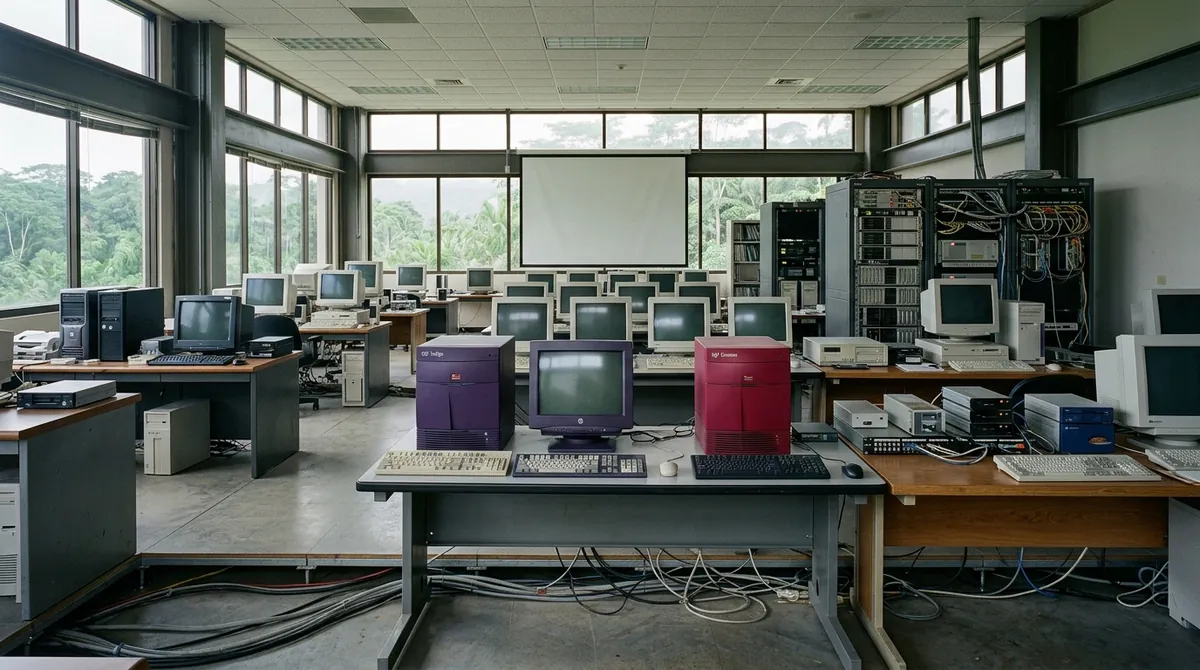
The background also hints at the “big iron” end of the era: tall-panel supercomputer vibes with blinking lights. Those vibes were not invented for the screen; SGI workstations like the ones shown were built for exactly this kind of visualization workload.
Ray Arnold’s workstation: SGI R4000 Indigo (the Hurricane monitor)
Ray’s desk includes a visible Silicon Graphics (SGI) Indigo system—specifically an Indigo R4000 configuration.
Why does this matter? Because early 3D graphics wasn’t “a GPU does it” in the modern sense. The 90s approach was a stack of components designed to move 3D data and draw frames fast enough for real-time-ish previews.
The Indigo line is tied to the MIPS R4000 CPU architecture, with common configurations using a 100 MHz R4000. (archive.irixnet.org)
In the film, one of Ray’s machines appears to support the on-screen work involving the Hurricane graphics. The plot doesn’t explain the pipeline, but the hardware choice signals the intention: 3D animation that needs sustained throughput, not just “run a program once.”
Dennis Nedry’s power: SGI IRIS Crimson (3D chess energy)
Dennis’s desk is messier, but his standout workstation is the SGI IRIS Crimson.
This is the machine that feels like the movie’s “real” supercomputer, because it’s both visually imposing and conceptually tied to what SGI was famous for: high-end 3D visualization.
A few technical points in human language:
- The Crimson is built around a MIPS R4000 or R4400 CPU (depending on the configuration). (en.wikipedia.org)
- Its big selling point is the real-time 3D graphics subsystem: the system is designed around specialized graphics hardware rather than relying only on the CPU. SGI also framed certain top-end configurations as “visualization supercomputers.” (en.wikipedia.org)
The film often uses the Crimson as a source of “3D chess on the monitor” energy. That’s clever set dressing: chess is a task with a lot of crisp geometry and fast redraw patterns. Even if you never see a full technical breakdown on screen, the workstation choice communicates “this is where the heavy 3D work happens.” (en.wikipedia.org)
The hidden requirement: storage arrays (PLI Mini Arrays)
A Control Room isn’t just about computing. It’s about feeding data fast enough to keep visuals moving.
That’s where the PLI Mini Arrays show up.
Here’s a grounded way to understand them.
What a “Mini Array” is (and why 1993 storage looked insane)
An array in storage usually means multiple drives used together for speed and capacity. Instead of one disk being your bottleneck, the system splits data so reads and writes can overlap.
The “MiniArray” product line referenced in period ads emphasizes speed and throughput, describing transfer rates “starting at 5 MB per second,” achieved by splitting data across two drives with simultaneous reads/writes. (vintageapple.org)
The ad also lists capacities and pricing options. The specific version called out in the movie discussion is a PLI MiniArray 1.04 GB model priced at $3,598. (vintageapple.org)
So yes, in the film world, we’re looking at a workstation + storage setup where a “gigabyte-ish” budget could still buy you real, tangible capacity.
Dennis’s PDA: Motorola Envoy
Next to Dennis’s elbow sits a Motorola Envoy personal digital assistant—basically a touchscreen-adjacent precursor to the modern smartphone era.
Specs in plain terms:
- It uses a Motorola Dragon I/68349 microprocessor.
- It includes 4 MB of ROM (ROM is Read Only Memory, meaning firmware/software that’s “baked in”).
- It has 1 MB of RAM, plus an LCD. (en.wikipedia.org)
The film’s use of a PDA makes the whole control-room team feel connected in a way that older “dock a keyboard and monitor” setups don’t. In 1993-ish computing culture, that PDA-to-desk workflow was a very believable step toward always-available data.
Continuity, budgets, and why the hardware looks “right”
What stands out across all these machines is not just brand names. It’s the shape of the era’s constraints.
- The PowerBook’s tiny monochrome screen and small RAM force you to appreciate how limited the interface surface really is.
- The SGI machines signal specialized 3D rendering hardware.
- The PLI arrays signal that storage throughput was a first-class design target, not an afterthought.
And then there’s the meta-layer: the movie went out of its way to use real hardware loaned by major vendors, because audiences weren’t buying “generic computer prop” anymore. They wanted the details to survive a second watch.
A quick reality check: 1993 specs, translated
To keep the scale concrete, here’s a tiny bit of translation from the PowerBook’s display:
640 × 400 = 256,000 pixels
Now think about what you can render on ~256k monochrome pixels, when your RAM is measured in a few megabytes and your CPU is running at 16 million cycles per second. You can build experiences, sure. But you’re building them by respecting limits rather than ignoring them.
That’s the emotional reason Jurassic Park computers look the way they do: they’re not screens of unlimited performance. They’re screens of carefully engineered capability.
Closing thought
Jurassic Park’s computer detail isn’t there to impress with vintage trivia. It’s there because the film’s world treats computation like infrastructure. The real dinosaurs were supposed to be controlled by systems, and those systems—PowerBooks, SGIs, storage arrays, and early PDAs—were the era’s best attempt at turning raw hardware into believable “control.”
Even decades later, that still reads as a kind of technical romance.
References (key specs and dates)
- Sam Neill death announcement (July 13, 2026). (apnews.com)
- Apple PowerBook 100: 68000 @ 16 MHz, 2–8 MB RAM, 640×400 monochrome LCD, System 7.0.1. (en.wikipedia.org)
- SGI IRIS Crimson: released in 1992; MIPS R4000/R4400 options and emphasis on 3D graphics subsystems. (en.wikipedia.org)
- SGI Indigo R4000: commonly associated with a 100 MHz R4000 configuration. (archive.irixnet.org)
- PLI MiniArray ad (Mac’s Place Spring 1993): transfer rates starting at ~5 MB/s; 660 MB $2,948; 1.04 GB $3,598. (vintageapple.org)
- Motorola Envoy: Dragon I/68349 microprocessor; 4 MB ROM; 1 MB RAM; LCD. (en.wikipedia.org)
Comments (0)
No comments yet. Be the first to respond!
Leave a Comment
Your comment will be visible after review.